 Customer Support


09/11/2026
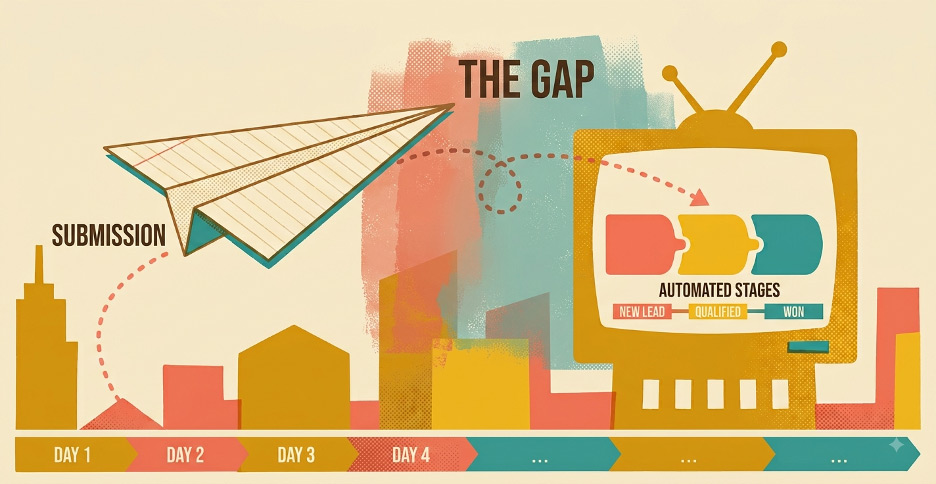 A new lead fills out your website form.
That should be good news.
But what happens next?
For many small and midsize businesses, the real problem isn't generating the inquiry. It's everything that happens after someone clicks submit. The form reaches a shared inbox. Someone assumes another employee will respond. The contact never reaches the CRM. By the time a follow-up happens, the prospect has already moved on.
A stronger website CRM integration can close that gap by connecting the website, CRM, employees, and follow-up process into one workflow. Dreaming Code's integration services are designed around this type of connected experience, including CRM connections, automated workflows, and managed system integrations.
Why Website CRM Integration Matters After the Form
Businesses often focus heavily on website traffic and form conversion rates.Those numbers matter. But a form submission isn't a sale, appointment, tour, donation, or customer relationship.
Something still has to happen.
A real estate lead may need to reach the representative responsible for a specific development. A dental inquiry may need to go to the correct office. A salon prospect may be asking about a specialized service only offered by certain providers.
If that inquiry sits unanswered, more traffic won't solve the problem.
Good website lead management treats the form submission as the beginning of the conversion process, not the end.
Step 1: Capture the Right Information
The form should give your team enough context to respond without making the visitor complete a questionnaire.That balance matters.
A service business might ask for name, email, phone number, service interest, and preferred contact time. A real estate company might add property or project interest. A medical practice may need a location and general inquiry type.
Too many fields create friction. Too few leave employees guessing.
The goal is simple: collect the information required to determine what should happen next.
Dreaming Code's website design and development approach includes forms, engagement tools, and digital experiences designed to support business operations instead of functioning as isolated website features.
Step 2: Move the Lead Directly Into the CRM
This is where CRM form integration becomes important.A website submission shouldn't sit only in WordPress, a website dashboard, or someone's inbox. The form can automatically create or update a CRM record as soon as it's submitted.
That gives the team one place to see contact information, lead source, inquiry details, previous activity, and future follow-up.
It also removes one of the most common sources of delay: manual data entry.
Copying names, phone numbers, and notes from an email into a CRM takes time and introduces errors. Sometimes it never happens at all.
With a connected process, the record exists immediately.
Step 3: Confirm the Inquiry Immediately
People want to know their message went somewhere.An immediate confirmation can simply say the inquiry was received, explain what happens next, and set an expectation for response time.
That doesn't replace a personal reply.
It buys your team time while reassuring the prospect that the company is paying attention.
This is one of the easiest forms of lead response automation, and it can make the experience feel much more organized.
Step 4: Route the Lead to the Right Person
Once the lead reaches the CRM, someone needs to own it.CRM lead routing can assign inquiries based on geography, service, location, product category, account ownership, territory, urgency, or another business rule.
Consider a few examples.
A prospect interested in a specific real estate development goes directly to that project's representative. A new patient inquiry routes to the correct medical office. A salon request for extensions reaches the location offering that service. A nonprofit volunteer inquiry routes to the volunteer team instead of donor relations.
The key question disappears:
"Who is supposed to respond to this?"
That clarity can remove a surprising amount of delay.
Step 5: Alert the Internal Team
Assignment alone isn't always enough.The employee needs to know a new inquiry arrived.
Notifications might appear through email, CRM tasks, internal dashboards, text alerts, or collaboration tools.
Not every lead needs the same level of attention.
A general information request might create a routine CRM task. A high-value project inquiry could generate an immediate alert to a salesperson and manager.
Dreaming Code's Automation and AI solutions include automated forms, lead routing, follow-ups, CRM-driven workflows, and notifications that can be built into the website experience.
Step 6: Build Automated Follow-Up Without Becoming Robotic
Good automated lead follow-up supports people. It shouldn't try to replace them.A practical website conversion workflow might start with an immediate acknowledgment. The assigned employee then reaches out personally. If the prospect doesn't respond, the CRM creates a reminder. Relevant information can be sent later, followed by one final check-in.
The personal conversation still matters.
Automation simply makes sure the conversation doesn't disappear because someone forgot to create a task.
That distinction is important. The objective isn't to send more emails. It's to create consistent follow-up while allowing employees to personalize the conversations that matter.
Step 7: Track What Happens After Submit
A business receiving 100 website leads a month may feel like marketing is working.But what if 30 never receive a follow-up?
That's why reporting needs to continue beyond the form.
Businesses should understand response time, lead ownership, follow-up activity, appointment or opportunity conversion, source quality, closed business, and where leads stop progressing.
That information can expose a very different problem than expected.
Maybe traffic is fine. Maybe form conversion is fine. Maybe the issue is that leads assigned on Friday aren't receiving a response until Monday afternoon.
Better reporting turns the lead process into something the business can actually improve.
The Follow-Up Gap Is Often a Systems Problem
A company might think it needs more leads when what it really needs is a better way to handle the leads it already has.Double the traffic into a broken process and you may simply double the number of missed opportunities.
This is why website CRM integration should be treated as part of the customer experience.
The visitor shouldn't know or care which systems are involved behind the scenes. They should submit an inquiry, receive confirmation, reach the correct person, and get a useful response.
Behind that simple experience may be a website, CRM, routing rules, notifications, automation, and reporting all working together.
Dreaming Code helps businesses connect these pieces through system integration, CRM workflows, forms, automation, analytics, and managed digital platforms. Dreaming Code also provides ongoing Radical Support for integration integrity, workflow adjustments, and platform performance after launch.
The website shouldn't stop working when someone clicks submit.
That click should start the next process.
A well-designed website CRM integration helps move the inquiry toward the right employee, the right conversation, and the right next action.
That won't guarantee every lead becomes a customer. Nothing will.
But it gives your team a much better chance to convert the opportunities you're already paying to generate.
Businesses that want to connect their website, CRM, forms, routing, and follow-up into one managed workflow can schedule a Dreaming Code demo to see what that process could look like.