 Customer Support


Posts by Category

10/07/2026
How Retail Websites Can Turn Browsers into Buyers with Better Product Pages
Retailers spend a lot of time getting shoppers to their websites. They invest in paid ads, SEO, email, social media, and influencer campaigns.Then a shopper lands on a product page and hesitates.
That's where ecommerce product page optimization becomes important. A product page has to do more than display a photo, price, and Add to Cart button. It needs to answer the questions someone would normally ask if they were standing in a store with the product in front of them.
Better product pages can increase purchase confidence, reduce unnecessary questions, support search visibility, and make it easier for shoppers to complete a purchase.
The goal isn't adding every feature possible. It's giving customers the information they need at the moment they need it.
Why Product Pages Become the Weak Point
A shopper who reaches a product page has already shown interest.The page now has to help them answer some basic questions.
Is this right for me? What size do I need? What exactly is included? When will it arrive? Can I return it? Will it work with something I already own?
When those answers are missing, hesitation grows.
That makes retail product page optimization an important part of broader B2C ecommerce design. Dreaming Code's B2C ecommerce approach focuses on mobile storefronts, personalization, SEO, merchandising, and conversion-ready experiences rather than treating the storefront as a simple catalog.
Ecommerce Product Page Optimization Starts With Better Imagery
Customers can't pick up an ecommerce product.Your images have to do some of that work for them.
Strong product pages often include:
- Multiple viewing angles
- Close-up detail images
- Lifestyle photography
- Images that communicate scale
- Clear mobile galleries
- Video when movement or use matters
The page has beautiful photography, but there are no close-ups of the finish. Dimensions are difficult to find. There's no image showing the table in a room for scale.
A shopper likes it but isn't comfortable ordering a $1,500 table without knowing whether six chairs will actually fit.
Better imagery can answer questions before they become reasons to leave.
Product Titles and Descriptions Need to Help People Decide
Many retailers still use manufacturer descriptions with minimal editing.That's a missed opportunity.
Effective product content optimization explains the product in the language customers actually need.
A useful description should make clear:
- What the product is
- Who it's designed for
- Key benefits
- Materials
- Dimensions
- Important features
- Common use cases
- What makes it different
- Care or usage instructions
A vague internal product name may work inside a catalog but give shoppers and search engines very little context.
Strong product page SEO starts with useful, accurate product information. Google recommends supplying detailed product data and structured information to help it understand ecommerce pages and make products eligible for richer search experiences.
Dreaming Code can connect this type of product content work with broader SEO strategy, including page structure, structured data, internal linking, performance, and ongoing optimization.
Make Specifications Easy to Scan
Not every shopper reads a full description.Sometimes they just want to know whether the product is 36 or 42 inches wide.
Important specifications should be easy to find.
Depending on the product, that might include:
- Dimensions
- Materials
- Sizes
- Colors
- Compatibility
- Technical specifications
- Included accessories
- Care instructions
Don't bury critical information in paragraph six. Give shoppers a quick way to confirm the facts that matter.
Product FAQs Can Remove Last-Minute Doubt
Product-specific FAQs are one of the simplest ways to address questions that repeatedly stop purchases.For example:
"Will this fit?"
"What comes in the box?"
"Can I return it after opening it?"
"Does it work with Model X?"
"How should I clean it?"
If customer service receives the same product question several times a week, there's a good chance the answer belongs on the product page.
FAQs can also create useful, natural language content that gives search engines more context about the page.
Reviews Work Best With Strong Product Information
Reviews matter because they give shoppers another perspective.Verified reviews, ratings, customer photos, questions and answers, and product-specific testimonials can provide context that brand copy cannot.
But reviews shouldn't be expected to rescue a weak page.
A five-star rating doesn't replace missing dimensions. Customer photos don't excuse unclear shipping information.
Social proof works best when it supports an already complete buying experience.
A Shopify beauty brand is a good example.
Imagine a skincare product page that includes reviews, clear usage instructions, ingredients, expected usage frequency, related products, and straightforward shipping information.
The shopper doesn't have to hunt for answers.
That's good Shopify product page design because the page supports the decision, not just the transaction. Dreaming Code's Shopify ecommerce management includes custom builds, product-data configuration, integrations, optimization, and ongoing management for growing Shopify environments.
Put Shipping, Delivery, and Returns Where Customers Need Them
Shipping surprises are particularly frustrating late in the buying journey.Product pages should make relevant purchase conditions easy to understand, including:
- Availability
- Delivery expectations
- Shipping options
- Store pickup
- Returns
- Exchanges
The information doesn't need to dominate the page. It just needs to be accessible when the shopper wants it.
Use Recommendations to Help, Not Distract
Relevant ecommerce product recommendations can improve the experience and increase average order value.Useful examples include:
- Frequently bought together
- Related products
- Accessories
- Product bundles
- Complete the look
- Recommended alternatives
Showing twenty unrelated products can create another decision problem. A customer buying a camera may appreciate a compatible memory card and case. They probably don't need an endless carousel of random electronics.
Good ecommerce conversion optimization reduces friction rather than introducing more of it.
Mobile Deserves Its Own Product Page Experience
A desktop page squeezed onto a phone isn't really a mobile strategy.Mobile shoppers need fast pages, easy image browsing, readable information, visible prices, simple variant selection, and a clear purchase button.
Reviews and specifications should also be easy to reach without endless scrolling.
Dreaming Code's website design and development approach emphasizes mobile-first experiences, performance, usability, and conversion-focused design.
For retailers, this matters across the entire journey. A social ad, Google result, or email may bring someone directly to a product page on their phone. That page has to work immediately.
Structured Product Data Supports Product Discovery
There's also information customers may never see directly.Structured data gives search engines standardized information about a product, including its name, price, availability, brand, reviews, ratings, and other attributes.
Google says Product structured data can make ecommerce pages eligible for richer search appearances containing information such as price, availability, ratings, shipping, and returns. Google also recommends using product structured data alongside Merchant Center data when appropriate.
It's an important part of product page SEO, but it isn't a substitute for good content.
Search engines need structured information. People need useful information.
Strong product pages address both.
Better Product Pages Support the Entire Store
Ecommerce product page optimization isn't really about making one page prettier.It's about improving the point where traffic becomes a buying decision.
That can involve product content, imagery, mobile UX, recommendations, SEO, structured data, site performance, analytics, and merchandising across hundreds or thousands of products.
Dreaming Code helps retailers connect those elements through its B2C ecommerce platform, Shopify services, SEO, ecommerce analytics, performance optimization, and ongoing Radical Support. Dreaming Code's support model includes storefront health, UX updates, performance tuning, and ongoing platform improvements.
Start with a simpler question, though.
What information does a customer need to confidently buy this product?
Then look at your page through their eyes.
If the answer is difficult to find, that's where the optimization should begin.
Frequently Asked Questions
What is ecommerce product page optimization?
Ecommerce product page optimization is the process of improving product content, imagery, usability, mobile experience, SEO, recommendations, and purchase information so shoppers can understand a product and make a confident buying decision.What information should every ecommerce product page include?
Most product pages should clearly communicate the product name, price, availability, images, description, important specifications, size or variant information, shipping details, return information, and a clear purchase action. Additional information depends on the type of product.Can better product pages help reduce returns?
Yes. Clear dimensions, materials, sizing, compatibility, imagery, usage instructions, and other product details can help customers choose products that better match their expectations and avoid some preventable purchase mistakes.How do product pages help ecommerce SEO?
Product pages can support ecommerce SEO through descriptive titles, useful original content, product specifications, internal links, optimized images, and accurate structured product data that helps search engines understand the product.What makes a good mobile ecommerce product page?
A good mobile product page loads quickly and makes images, pricing, variants, specifications, reviews, shipping information, and the purchase button easy to use on a small screen. The experience should be designed around mobile shoppers rather than simply shrinking the desktop layout.
09/30/2026
For many B2B suppliers, repeat orders are predictable. The problem is that nobody acts on that predictability until the customer is almost out of stock.A customer who normally buys filters every 90 days calls on day 92 asking for an urgent shipment. A medical supply account realizes disposable products are running low and needs replacements tomorrow. A sales representative notices an important customer hasn't reordered, but only after several weeks have passed.
B2B reorder automation can change that pattern.
Instead of waiting for customers to recognize an urgent need, sellers can use purchase history, contract information, inventory data, and customer preferences to identify likely reorder opportunities earlier.
The goal isn't to automatically place every order. It's to make repeat purchasing easier and more predictable for both sides.
Why B2B Customers Still Reorder Too Late
Even customers buying critical products have a lot going on.Purchasing teams manage dozens of vendors. Operations teams watch inventory across many locations. Employees change. Spreadsheets get outdated. Someone forgets to check the storeroom.
The supplier often has useful information already.
You know what the customer bought. You know when they bought it. You may know their typical quantity, contracted pricing, and normal purchasing interval.
Yet many companies still rely on sales representatives setting calendar reminders or checking reports manually.
That creates unnecessary work and inconsistent account coverage.
One salesperson may follow up perfectly. Another might miss the expected reorder date entirely.
Automated B2B reordering turns this knowledge into a repeatable process instead of depending on someone remembering to make a call.
How B2B Reorder Automation Can Identify the Right Moment
There isn't one universal reorder trigger.For some products, time is enough. For others, usage, inventory, contracts, and purchasing patterns provide a better signal.
A connected system can consider:
- Time since the last purchase
- Historical ordering frequency
- Typical order quantities
- Estimated product usage
- Minimum stock levels
- ERP inventory data
- Contract terms
- Customer-specific schedules
- Subscription or replenishment agreements
- Customer approval preferences
- Changes in account purchasing behavior
Instead of waiting until day 90, the system could trigger customer reorder reminders around day 75.
The customer receives a message with their usual filters and quantities already prepared. They review the order, make any necessary changes, and submit it.
That's a much better experience than calling the supplier after the final filter has already gone into service.
Reorder Automation Doesn't Mean Losing Customer Control
The word "automation" sometimes makes buyers think an order will suddenly appear without their approval. It doesn't have to work that way.A strong B2B ecommerce platform can support different reorder workflows for different accounts.
One customer might want a simple reminder. Another could prefer a prebuilt cart with their frequently purchased items ready for review.
A contract customer might authorize a recurring order every 60 days. A larger company may require a purchasing manager to approve every order before submission.
An account representative might prefer receiving an internal alert first, especially for high-value customers.
The workflow should follow the relationship.
That's what makes contract reorder automation more useful than simply scheduling another marketing email.
Customer History Makes Reorders Smarter
Past orders can reveal patterns that individual salespeople may not notice.Look at a customer's previous purchases and you can begin to understand:
- How often they normally order
- Which products they repeatedly buy
- Their typical quantities
- Seasonal purchasing patterns
- Whether order volume is increasing
- Whether an expected order is late
If six weeks pass without an order, that's useful information.
Maybe the customer changed suppliers. Maybe usage slowed. Maybe they simply forgot.
An automated workflow could alert the sales representative rather than letting the change go unnoticed for another month.
This is where B2B replenishment automation can support retention as much as operational efficiency.
ERP Data Makes Reorder Decisions More Reliable
Purchase history tells you what a customer usually needs.Operational data tells you whether you can fulfill it.
Through connected ERP integration, a reorder workflow can use current information about:
- Product availability
- Customer-specific pricing
- Inventory levels
- Backorders
- Contract terms
- Purchase history
- Replenishment requirements
The customer's order history suggests another purchase is approaching.
The system prepares the expected products and quantities. Before presenting the suggested order, it checks current pricing and inventory through the ERP.
One product is temporarily backordered.
Instead of allowing the customer to place an order based on outdated information, the system can flag the issue, suggest an alternative, or alert the account representative.
That's much stronger than a salesperson working from a spreadsheet that was updated last Tuesday.
Connected integration services can allow ecommerce, ERP, inventory, CRM, and customer data to work together instead of operating as separate sources of truth.
Build Automated Reorder Workflows Around the Customer
The strongest automated reorder workflows don't treat every account the same. Customers should be able to choose how much automation they want.For example:
Reminder only:
"Your normal reorder date is approaching. Would you like to review your usual order?"
Prepared cart:
The customer's normal products, quantities, and current pricing are loaded into a cart for approval.
Manager approval:
The purchaser prepares the reorder, but a procurement manager must approve it before submission.
Recurring replenishment:
A contract automatically generates the agreed order on a defined schedule.
Sales-assisted workflow:
The account representative receives an alert and contacts the customer personally.
Dreaming Code's Automation and AI solutions can connect workflow rules, customer actions, notifications, and operational systems so the reorder process follows the business rules behind each account.
Why Connected Data Beats Calendar Reminders
There's nothing wrong with a salesperson setting a reminder. The problem appears when hundreds or thousands of customers depend on those reminders.Manual follow-up doesn't scale evenly.
ERP inventory automation combined with ecommerce and purchasing history creates a more systematic approach. The system can identify expected reorder windows across the whole customer base and surface exceptions automatically.
Sales representatives can then spend more time on the accounts that actually require attention. The result isn't removing salespeople from customer relationships. It's removing the repetitive tracking work that keeps them from higher-value conversations.
The Benefits Work Both Ways
For sellers, proactive reordering can mean:- Better customer retention
- More predictable recurring revenue
- Fewer emergency fulfillment requests
- Less manual sales follow-up
- More consistent account coverage
- Earlier visibility into unusual buying behavior
- More efficient sales teams
They reduce the chance of running out of critical products. Repeat purchasing becomes faster. Approval processes become clearer. They spend less time rebuilding the same order over and over.
That matters especially for industrial, medical, distribution, and wholesale environments where running out of one inexpensive item can create a much more expensive operational problem.
Reordering Should Be Part of the Customer Experience
A reorder process shouldn't exist separately from the rest of the account experience.The customer's portal already knows who they are. Their purchase history shows what they buy. The ERP knows current pricing and inventory. The contract defines the rules.
Connect those pieces, and reordering becomes much more useful.
Dreaming Code can bring customer portals, purchase history, account-specific pricing, ERP data, inventory information, approval workflows, notifications, and ecommerce automation into one connected environment.
The opportunity with B2B reorder automation isn't simply sending more reminders.
It's knowing when a reorder is likely needed, what the customer usually buys, what the current price and availability are, and who needs to approve the purchase.
That creates a smoother buying experience while giving sellers a more predictable way to manage recurring business.
And because those workflows continue to evolve, ongoing managed digital support can help maintain integrations, adjust rules, and keep the process running reliably. Businesses can also combine these systems with managed hosting and security when the ecommerce environment requires one accountable technology partner.
If recurring orders still depend heavily on spreadsheets and individual sales reminders, it may be worth exploring what a connected workflow could look like. Book a consultation with Dreaming Code to discuss the possibilities.
Frequently Asked Questions
What is B2B reorder automation?
B2B reorder automation uses customer purchase history, timing, inventory information, contract rules, and workflow logic to identify likely reorder needs and make repeat purchasing easier. It can trigger reminders, prepare carts, create approval requests, or generate recurring orders depending on the customer's preferences.Does reorder automation automatically place orders?
Not necessarily. Some customers may want a reminder, while others prefer a prebuilt cart or an approval workflow. Contract customers may authorize recurring orders. The level of automation can be configured around each account's purchasing requirements.How can ERP integration improve automated reordering?
ERP integration can provide current product availability, customer-specific pricing, inventory levels, backorders, purchase history, and contract information. This helps ensure suggested reorders use accurate operational data instead of relying on spreadsheets or outdated information.How does purchase history help predict when customers need to reorder?
Purchase history can reveal normal ordering intervals, frequently purchased products, typical quantities, and changes in buying behavior. These patterns can help identify when a customer is approaching an expected reorder date or when an important recurring purchase is unusually late.Can different B2B customers have different reorder workflows?
Yes. One account may receive a reminder, another may receive a prepared cart, and another may require procurement approval before an order is submitted. Reorder workflows can be designed around customer contracts, purchasing policies, and preferred levels of control.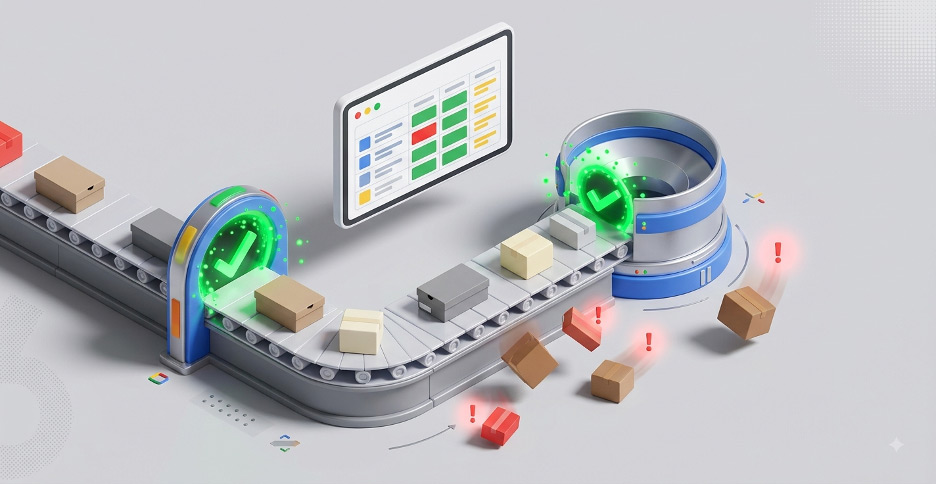
09/23/2026
You can have a strong Shopify store, good products, and a healthy Google Shopping budget and still leave sales on the table.The problem may not be your ads.
Google Shopping product feed errors can quietly reduce visibility, trigger disapprovals, waste clicks, and send customers to pages that don't match what they expected. Because campaigns may keep running, merchants don't always realize product data is part of the problem.
Google uses product information such as price, availability, titles, identifiers, images, and categories to understand what you sell and determine whether products are eligible to appear. Keeping that information accurate and current is fundamental to Shopping performance.
For ecommerce merchants, that makes feed quality more than an advertising task. It's part of the ecommerce operation.
Why Product Feed Quality Matters More Than You Think
Think of your product feed as the information layer connecting your store to Google.Google needs to understand what a product is, what it costs, whether it's available, and where customers can buy it. Poor data can weaken that connection.
Some products may become ineligible. Others may appear for less useful searches. A shopper might click an ad showing one price and find something different on the product page.
That affects several things at once:
- Google Shopping visibility
- Product eligibility
- Campaign efficiency
- Customer expectations
- Conversion performance
- Ecommerce profitability
Common Google Shopping Product Feed Errors to Watch
Some feed problems get your attention immediately. A product disapproval is hard to ignore.Others are much quieter.
Stale Prices and Incorrect Availability
Price and availability need to stay consistent between the data submitted to Google and the product landing page. Google can disapprove products when those values don't match.Imagine a Shopify merchant selling home furnishings.
Shopify says a chair is available, so Google advertises it. But inventory is actually managed in another system, where the final unit sold two hours ago.
The customer clicks. The chair is out of stock.
The merchant may have paid for a click that never had a realistic chance of converting.
The real solution isn't manually changing the chair in Merchant Center. It's improving the ecommerce product data integration between the inventory system, Shopify, and Google.
Dreaming Code's integration services include product and inventory synchronization across ecommerce and back-office systems, including ERP and inventory platforms.
Weak Product Titles
This problem is easy to underestimate. Suppose your Shopify title says:Classic Runner
Customers who already know your catalog may understand it. Google has much less context.
A stronger Shopping title could include the brand, product type, material, color, size, or another attribute shoppers actually use when searching.
Google recommends making product titles specific and including important distinguishing characteristics.
Good Shopify product feed management therefore involves more than sending every Shopify field directly to Google.
Sometimes the storefront data is technically valid but not strong enough to support Shopping visibility.
Missing and Incorrect Product Information
Other common problems include:- Product disapprovals
- Missing images
- Poor product descriptions
- Missing or incorrect product identifiers
- Incorrect product categories
- Broken product URLs
- Inventory mismatches
- Shipping errors
- Promotions that don't match landing pages
- New products missing from the feed
- Discontinued products that remain active
It's also, "Where did the wrong information come from?"
Diagnose Feed Problems Before Increasing Ad Spend
When Google Shopping performance slows, merchants often start adjusting campaigns.Before increasing the budget, check Merchant Center.
Google Merchant Center provides product-level reporting that shows whether products are approved, disapproved, pending review, visible, or not visible. Its Needs attention area can also surface affected products and specific data issues.
Look for patterns instead of isolated errors.
Are dozens of products showing price mismatches? Are certain brands missing identifiers? Did newly added products fail to appear? Are discontinued items still being advertised?
Regular product feed monitoring helps merchants catch these patterns before they affect a large portion of the catalog.
Fix the Source of Google Shopping Product Feed Errors
This is where feed management often turns into a systems problem.A merchant sees an issue in the Google Merchant Center product feed, fixes it manually, and moves on.
Then the error comes back.
That's often because Merchant Center doesn't own the original information.
Your product title may live in Shopify. Inventory could originate in an ERP. Pricing might come from a separate database. Shipping data may come from a fulfillment platform.
Start by mapping data ownership.
Ask which system controls each field:
- Product title
- Description
- SKU
- GTIN
- Price
- Sale price
- Inventory
- Availability
- Images
- Category
- Shipping
- Promotions
Better ERP integration and inventory synchronization can reduce the opportunity for different systems to tell customers different stories.
Dreaming Code focuses on connecting ecommerce, ERP, CRM, order management, and inventory platforms so data moves between systems more consistently.
Supplemental Feeds Can Add Another Layer of Control
Not every improvement requires rebuilding your primary product feed.Google supports supplemental data sources that can add or update attributes for products already included in a primary source. They can be useful when merchants need to enrich information such as titles or other product attributes.
For example, a retailer may want short product names on its website but more descriptive Shopping titles.
A supplemental source can help enrich the Google data without requiring the merchant to completely restructure the storefront catalog.
That can be useful for Google Shopping product feed optimization.
Just don't use supplemental feeds to hide permanent problems upstream. If the source data is wrong, correcting the source is usually the cleaner long-term approach.
Your Update Schedule Has to Match Your Business
Different types of ecommerce information change at different speeds.Inventory might change throughout the day. Prices may update daily. Promotions could start and stop at specific times. New products may be added every week.
Your update process should reflect that.
Build reliable schedules for:
- Pricing
- Inventory
- Availability
- New products
- Discontinued products
- Promotions
A fast-moving retailer shouldn't depend on an update process that lets critical product data remain stale for long periods.
Keep the Feed and Landing Page Telling the Same Story
A Shopping listing makes a promise.If Google says $79.99 and the website says $99.99, the customer notices.
The same goes for availability.
A customer clicking an advertisement for an in-stock item shouldn't arrive at an out-of-stock product page.
Google also checks submitted product information against landing pages and expects key values such as price and availability to remain consistent.
Promotions matter too.
If an advertisement promotes 20 percent off, the shopper should be able to understand and receive that offer on the landing page.
Consistency improves more than compliance. It protects customer confidence.
Treat Product Feeds as Ecommerce Infrastructure
The strongest approach is to stop treating your product feed as a file that gets sent to Google.It's really a connected data flow.
Your Shopify store, inventory platform, ERP, product database, fulfillment tools, and Google Merchant Center all contribute to what customers ultimately see.
Dreaming Code helps merchants improve those connections through Shopify product feed management, product data integration, ERP connectivity, inventory synchronization, analytics, SEO, and ongoing ecommerce management. Dreaming Code's Shopify services focus on connecting storefronts to the systems that power products, orders, fulfillment, and ongoing growth.
That approach changes the objective.
Instead of correcting the same Google Shopping product feed errors every week, merchants can improve the systems creating the feed in the first place.
Cleaner product information means Google receives better data. Customers get more accurate information. Marketing teams have a stronger foundation for their Shopping campaigns.
And your team spends less time chasing problems that should have been automated away.
For merchants that need ongoing technical ownership after the initial integrations are in place, Dreaming Code can also provide managed ecommerce support to help maintain the systems and workflows supporting the store.
Is it time to get your product information synchronized to perform?
CTA Schedule a consultation
Frequently Asked Questions
What are the most common Google Shopping product feed errors?
Common issues include product disapprovals, inaccurate prices, incorrect availability, weak titles, missing identifiers, missing images, incorrect categories, shipping errors, inventory mismatches, and landing pages that don't match submitted product data.How do I find product feed errors in Google Merchant Center?
Merchant Center provides product-level issue reporting through its product management and Needs attention areas. Merchants can review affected products, identify disapprovals or other issues, and investigate the product data causing the problem.How often should a Google Shopping product feed update?
The right frequency depends on how quickly your product information changes. Inventory, availability, and pricing may require frequent updates, while descriptions and categories may change less often. Fast-moving stores should avoid update schedules that allow important data to become stale.Can supplemental feeds fix Google Shopping product information?
Yes. Supplemental data sources can add or update attributes for products already included in a primary data source. They can help improve titles and other product information without rebuilding the entire primary source.Why do Google Shopping feed errors keep coming back?
Recurring errors often mean the problem exists in the source system. If Shopify, an ERP, an inventory platform, or a product database continues sending incorrect information, correcting the value only in Merchant Center may solve the problem temporarily.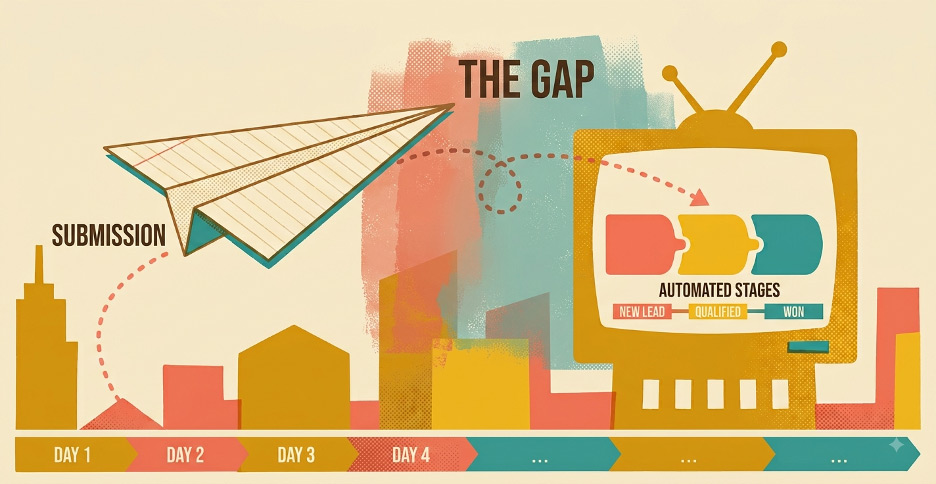
09/11/2026
A new lead fills out your website form.That should be good news.
But what happens next?
For many small and midsize businesses, the real problem isn't generating the inquiry. It's everything that happens after someone clicks submit. The form reaches a shared inbox. Someone assumes another employee will respond. The contact never reaches the CRM. By the time a follow-up happens, the prospect has already moved on.
A stronger website CRM integration can close that gap by connecting the website, CRM, employees, and follow-up process into one workflow. Dreaming Code's integration services are designed around this type of connected experience, including CRM connections, automated workflows, and managed system integrations.
Why Website CRM Integration Matters After the Form
Businesses often focus heavily on website traffic and form conversion rates.Those numbers matter. But a form submission isn't a sale, appointment, tour, donation, or customer relationship.
Something still has to happen.
A real estate lead may need to reach the representative responsible for a specific development. A dental inquiry may need to go to the correct office. A salon prospect may be asking about a specialized service only offered by certain providers.
If that inquiry sits unanswered, more traffic won't solve the problem.
Good website lead management treats the form submission as the beginning of the conversion process, not the end.
Step 1: Capture the Right Information
The form should give your team enough context to respond without making the visitor complete a questionnaire.That balance matters.
A service business might ask for name, email, phone number, service interest, and preferred contact time. A real estate company might add property or project interest. A medical practice may need a location and general inquiry type.
Too many fields create friction. Too few leave employees guessing.
The goal is simple: collect the information required to determine what should happen next.
Dreaming Code's website design and development approach includes forms, engagement tools, and digital experiences designed to support business operations instead of functioning as isolated website features.
Step 2: Move the Lead Directly Into the CRM
This is where CRM form integration becomes important.A website submission shouldn't sit only in WordPress, a website dashboard, or someone's inbox. The form can automatically create or update a CRM record as soon as it's submitted.
That gives the team one place to see contact information, lead source, inquiry details, previous activity, and future follow-up.
It also removes one of the most common sources of delay: manual data entry.
Copying names, phone numbers, and notes from an email into a CRM takes time and introduces errors. Sometimes it never happens at all.
With a connected process, the record exists immediately.
Step 3: Confirm the Inquiry Immediately
People want to know their message went somewhere.An immediate confirmation can simply say the inquiry was received, explain what happens next, and set an expectation for response time.
That doesn't replace a personal reply.
It buys your team time while reassuring the prospect that the company is paying attention.
This is one of the easiest forms of lead response automation, and it can make the experience feel much more organized.
Step 4: Route the Lead to the Right Person
Once the lead reaches the CRM, someone needs to own it.CRM lead routing can assign inquiries based on geography, service, location, product category, account ownership, territory, urgency, or another business rule.
Consider a few examples.
A prospect interested in a specific real estate development goes directly to that project's representative. A new patient inquiry routes to the correct medical office. A salon request for extensions reaches the location offering that service. A nonprofit volunteer inquiry routes to the volunteer team instead of donor relations.
The key question disappears:
"Who is supposed to respond to this?"
That clarity can remove a surprising amount of delay.
Step 5: Alert the Internal Team
Assignment alone isn't always enough.The employee needs to know a new inquiry arrived.
Notifications might appear through email, CRM tasks, internal dashboards, text alerts, or collaboration tools.
Not every lead needs the same level of attention.
A general information request might create a routine CRM task. A high-value project inquiry could generate an immediate alert to a salesperson and manager.
Dreaming Code's Automation and AI solutions include automated forms, lead routing, follow-ups, CRM-driven workflows, and notifications that can be built into the website experience.
Step 6: Build Automated Follow-Up Without Becoming Robotic
Good automated lead follow-up supports people. It shouldn't try to replace them.A practical website conversion workflow might start with an immediate acknowledgment. The assigned employee then reaches out personally. If the prospect doesn't respond, the CRM creates a reminder. Relevant information can be sent later, followed by one final check-in.
The personal conversation still matters.
Automation simply makes sure the conversation doesn't disappear because someone forgot to create a task.
That distinction is important. The objective isn't to send more emails. It's to create consistent follow-up while allowing employees to personalize the conversations that matter.
Step 7: Track What Happens After Submit
A business receiving 100 website leads a month may feel like marketing is working.But what if 30 never receive a follow-up?
That's why reporting needs to continue beyond the form.
Businesses should understand response time, lead ownership, follow-up activity, appointment or opportunity conversion, source quality, closed business, and where leads stop progressing.
That information can expose a very different problem than expected.
Maybe traffic is fine. Maybe form conversion is fine. Maybe the issue is that leads assigned on Friday aren't receiving a response until Monday afternoon.
Better reporting turns the lead process into something the business can actually improve.
The Follow-Up Gap Is Often a Systems Problem
A company might think it needs more leads when what it really needs is a better way to handle the leads it already has.Double the traffic into a broken process and you may simply double the number of missed opportunities.
This is why website CRM integration should be treated as part of the customer experience.
The visitor shouldn't know or care which systems are involved behind the scenes. They should submit an inquiry, receive confirmation, reach the correct person, and get a useful response.
Behind that simple experience may be a website, CRM, routing rules, notifications, automation, and reporting all working together.
Dreaming Code helps businesses connect these pieces through system integration, CRM workflows, forms, automation, analytics, and managed digital platforms. Dreaming Code also provides ongoing Radical Support for integration integrity, workflow adjustments, and platform performance after launch.
The website shouldn't stop working when someone clicks submit.
That click should start the next process.
A well-designed website CRM integration helps move the inquiry toward the right employee, the right conversation, and the right next action.
That won't guarantee every lead becomes a customer. Nothing will.
But it gives your team a much better chance to convert the opportunities you're already paying to generate.
Businesses that want to connect their website, CRM, forms, routing, and follow-up into one managed workflow can schedule a Dreaming Code demo to see what that process could look like.
Frequently Asked Questions
What is website CRM integration?
Website CRM integration connects website forms and interactions directly with a customer relationship management system. A form submission can automatically create or update a lead record, preserve inquiry details, trigger routing rules, and start follow-up tasks.Why should website leads go directly into a CRM?
Sending website leads directly into a CRM reduces manual data entry and helps ensure inquiries are recorded consistently. It also gives teams a central place to track lead ownership, activity, follow-up, source information, and outcomes.How does CRM lead routing work?
CRM lead routing uses business rules to assign inquiries to the appropriate person or team. Rules may be based on service, geography, location, product category, sales territory, account ownership, availability, or inquiry urgency.Should businesses automate lead follow-up?
Automation can help businesses confirm inquiries, create reminders, send useful information, and keep leads from being forgotten. It works best when it supports personal employee follow-up rather than replacing meaningful human communication.What should businesses measure after a website form is submitted?
Businesses should track response time, lead ownership, follow-up activity, appointment or opportunity conversion, lead source, closed business, and where leads stop progressing. These measures can show whether the real problem is traffic, conversion, routing, response time, or follow-up.
09/01/2026
If your website hasn't been updated in years, you're not alone.Many small and medium-sized businesses are still relying on websites that were built as one-time projects. They may look acceptable on the surface, but behind the scenes they often create more work, higher costs, security risks, and missed growth opportunities.
The reality is that customer expectations have changed. Your website is no longer just a digital brochure. It has become a digital operating system for attracting customers, generating leads, supporting operations, and building trust.
That is why many businesses are replacing traditional websites with a managed website platform. More organizations are choosing a fully managed solution because it simplifies website management while improving performance, security, and scalability.
At Dreaming Code, we see this shift every day. Business owners are looking for modern website solutions that allow them to focus on growing their business instead of managing technology.
What Is a Traditional Website?
A traditional website is typically built as a project.A company hires a web designer or development agency, launches the site, and assumes it will continue working for years with minimal attention.
Traditional websites are typically built using a combination of front-end technologies such as HTML, CSS, and JavaScript, often supported by frameworks like React, Angular, or Vue.js to create interactive user experiences. These front-end components connect to a content management system such as WordPress or Drupal and a custom back-end application that manages content, data, and business logic.
While this approach offers flexibility, it often results in a collection of separate technologies, hosting environments, plugins, integrations, and vendors that must be maintained independently. As websites grow, managing updates, security, performance, and new functionality can become increasingly complex and costly, particularly for businesses without dedicated technical resources.
This model worked in the past but it often creates challenges over time and more importantly does not support the modern digital operating systems companies need.
Common characteristics of traditional websites include:
- Separate hosting providers
- Multiple third-party plugins
- Manual updates
- Limited support
- Security vulnerabilities
- Slow performance over time
- Infrequent content updates
As a result, the website slowly becomes outdated and less effective.
The Hidden Costs of Traditional Websites
The upfront cost of a traditional website may appear attractive.However, many businesses underestimate the ongoing expenses required to maintain it.
These hidden costs often include:
- Hosting fees
- Security software
- Plugin licenses
- Emergency support
- Website redesigns
- Performance optimization
- SEO remediation
A dental practice may discover that its outdated website cannot support online appointment scheduling without costly redevelopment.
What started as a simple website often becomes a collection of disconnected tools that require constant attention.
What Is a Managed Website Platform?
A managed website platform takes a different approach.Instead of treating the website as a one-time project, it treats the website as an ongoing business solution.
The platform includes:
- Website design and development
- Hosting
- Security
- Ongoing maintenance
- Performance monitoring
- SEO support
- Content management
- Technical support
- System integrations
This creates accountability, consistency, and better long-term results.
Many companies are adopting a modern managed digital experience platform because it combines all of these services into one managed solution.
How a Managed Website Platform Supports Growth
A managed website platform does more than keep your website online.It helps your business grow.
Instead of reacting to problems, businesses can proactively improve customer experiences, optimize performance, and launch new capabilities as their needs evolve.
This is particularly important for small and medium-sized businesses that do not have internal IT teams or dedicated web development resources.
Managed Website Platform vs Traditional Website
Website Management
Traditional Website:- Multiple vendors
- Reactive maintenance
- Manual updates
- Unclear accountability
- Single point of contact
- Proactive maintenance
- Continuous improvements
- Full accountability
Security and Performance
Traditional websites often rely on outdated plugins and unsupported software.Over time, this creates security vulnerabilities and performance issues.
A managed website platform includes ongoing updates, monitoring, backups, and optimization.
As a result, websites remain secure, fast, and reliable.
Scalability
As your business grows, your website needs to change.Traditional websites often struggle to adapt.
Adding new functionality usually requires custom development projects and additional costs.
Modern website solutions are designed to scale with your business.
Need appointment scheduling?
Need CRM integration?
Need customer portals?
Need marketing automation?
A managed platform can support these initiatives without rebuilding your entire website.
Support and Accountability
One of the biggest frustrations business owners face is vendor finger-pointing.The hosting provider blames the developer.
The developer blames the plugin vendor.
The plugin vendor blames the server configuration.
Meanwhile, your business waits.
This is one reason Dreaming Code developed its Radical Support service. Instead of reacting to issues after they occur, businesses receive proactive support that keeps websites secure, optimized, and performing at their best.
Real-World Example: Manufacturing Business
Consider a manufacturing company that sells products through distributors and direct customers.Their traditional website may:
- Require manual quote requests
- Lack ERP integration
- Use outdated product catalogs
- Create duplicate administrative work
- Connect directly with ERP systems
- Deliver personalized customer experiences
- Automate lead routing
- Improve search visibility
- Simplify content updates
The result is a website that actively supports business operations instead of creating additional work.
Why Businesses Are Moving Toward Managed Digital Experience Platforms
The modern customer expects more.They expect:
- Fast page load times
- Mobile-friendly experiences
- Easy navigation
- Personalized content
- Secure interactions
- Consistent communication
A modern managed digital experience platform provides the infrastructure, flexibility, and support businesses need to compete effectively.
It also creates a foundation for future growth.
Whether your goals include lead generation, customer engagement, appointment scheduling, content marketing, or eCommerce expansion, a managed platform evolves alongside your business.
Many organizations are also adopting a modern digital experience platform because it reduces technical debt while improving marketing performance and user experience.
How to Know It's Time for an Upgrade
Your business may benefit from a managed website platform if:- Your website is more than three years old
- Updates are difficult or expensive
- Multiple vendors manage different parts of your website
- Performance is inconsistent
- Security concerns are increasing
- Lead generation has stalled
- You have limited visibility into website performance
Ready for a Better Website Experience?
If your website feels outdated, difficult to manage, or unable to support your business goals, now may be the right time to consider a managed website platform.Dreaming Code helps businesses replace outdated websites with a fully managed solution that combines design, hosting, support, SEO, integrations, and ongoing optimization.
Through our managed digital experience platform, businesses gain a strategic partner focused on long-term growth rather than one-time projects.
Ready to see what's possible? Book a Demo and discover how Dreaming Code can help transform your digital presence.
Frequently Asked Questions
What is a managed website platform?
A managed website platform is a fully supported website solution that includes hosting, maintenance, security, updates, support, and ongoing optimization under one provider.How is a managed website platform different from a traditional website?
A traditional website is typically delivered as a one-time project. A managed website platform provides continuous management, support, optimization, and ongoing improvements.Is a managed website platform more expensive?
Not necessarily. While there may be a monthly investment, businesses often reduce costs associated with maintenance, emergency support, security issues, and future redesign projects.What types of businesses benefit most from a managed website platform?
Small and medium-sized businesses that lack dedicated web development or IT resources often see the greatest benefit.Where can I learn more?
You can find additional information on the Dreaming Code FAQs page or schedule a consultation to discuss your specific business needs.
07/19/2026
If you're like most business owners, you probably think about your website and email as two separate things.
Your website is where customers learn about you, submit forms, request quotes, book appointments, or place orders. Your email is where your team communicates, sends documents, follows up with leads, and manages daily work.
Different tools. Different vendors. Different problems.
At least, that is how it feels.
But from a security standpoint, your website and email are closely connected. A weak point in one can create risk for the other. A compromised website can damage customer trust. A phishing email can impersonate your brand. A domain issue can affect both your website and your email delivery.
That is why Managed website and email security matters for small and mid-sized businesses.
Your digital presence is not just your website. It is your site, email, domain, hosting, forms, backups, monitoring, and support all working together. When those pieces are managed separately, gaps appear. And those gaps can create real business risk.
At Dreaming Code, we see this often. A business has one company hosting the website, another provider managing email, someone else handling domain settings, and maybe a freelancer helping with updates. Everyone owns a piece, but nobody owns the full picture.
That is where problems start.
Why Separate Vendors Create Security Gaps
Many businesses do not choose a disconnected setup on purpose. It just happens over time.Maybe the website was built five years ago. Then the email moved to another provider. Then a marketing agency added forms. Then someone else set up a domain record. Later, a plugin broke, a backup failed, or a suspicious email made it through.
No single decision felt risky at the time.
But together, the setup becomes hard to manage.
When website hosting, email security, domain settings, backups, and support are spread across different vendors, it becomes harder to answer basic questions.
Who is monitoring the website?
Who is responsible if the site goes down?
Who checks for malware?
Who manages the domain records that affect email delivery?
Who confirms that backups are actually working?
Who helps when a customer receives a suspicious email that appears to come from your business?
That confusion wastes time. It also creates exposure.
For SMBs, this is especially challenging because most do not have a full internal IT team watching every detail. Business owners and office managers are often left coordinating between vendors, forwarding support tickets, and trying to figure out who is responsible.
That is not a security strategy. That is a scramble.
Managed Website and Email Security Protects Your Digital Front Door
Your website and email are often the first places customers interact with your business.Someone visits your website and submits a contact form. A prospect receives an email from your sales team. A customer clicks a link to pay an invoice, download a document, or schedule an appointment.
Each interaction depends on trust.
Managed website and email security helps protect that trust by managing the key parts of your digital presence together. That includes hosting, monitoring, backups, domain settings, email protection, threat prevention, and support.
Instead of treating each piece as a separate technical task, everything is managed as part of one connected environment.
That matters because attackers do not think in separate categories. They look for openings.
A weak password. An outdated website. A spoofed domain. A broken plugin. A fake login page. A phishing email that looks close enough to fool someone.
When the website and email environment are managed together, it becomes easier to spot issues, fix problems, and reduce risk before they turn into something bigger.
Secure Website Hosting Is Only One Piece
Secure website hosting is important, but it is not enough on its own.A properly managed website needs fast hosting, uptime monitoring, malware protection, SSL certificates, software updates, backups, and recovery planning. If your site goes down or gets infected, your business can lose leads, sales, and trust quickly.
But the website is only part of the risk.
Your email may be just as important, and in many cases, more exposed.
A phishing email can trick an employee into sharing credentials. A fake invoice can lead to payment fraud. A spoofed sender can make customers think a scam message came from your company.
That is why business email protection should be managed alongside the website.
The goal is not just to block threats. It is to protect your brand, your employees, your customers, and your daily operations.
Domain Security Connects Website and Email
Your domain is the foundation of your online identity.It powers your website address. It also supports your email addresses. If your domain settings are not configured correctly, it can affect search visibility, email delivery, security, and customer trust.
This is where domain security becomes very important.
For example, email authentication settings help confirm that messages from your domain are legitimate. Without the right setup, attackers may try to spoof your domain and send fake emails that look like they came from your business.
At the same time, DNS records control how your website loads, where traffic points, and how different services connect.
If domain settings are managed casually or by multiple disconnected vendors, mistakes can happen. Emails may go to spam. Website traffic may break. Security protections may be incomplete.
Most business owners do not want to manage DNS records, email authentication, SSL certificates, backups, and hosting settings. And they should not have to.
They need a partner that understands how those pieces work together.
Practical Examples of Connected Security Risks
Think about a medical practice with an outdated website and basic email protection.A patient submits a form through the site. The form sends information to a shared inbox. That inbox receives a phishing email that looks like a vendor invoice. Someone clicks it. Now the business has a website, email, and data security issue all at once.
Or consider a manufacturer that relies on email for customer quotes.
If an attacker spoofs the company domain, customers might receive fake payment instructions. Even if the website was never hacked, the brand still takes the hit.
Now think about a local service business.
The website goes down on a busy Monday morning. The hosting company says it is a domain issue. The domain provider says it is a DNS issue. The email provider says they only manage inboxes. Meanwhile, leads are not coming through, and nobody knows who owns the fix.
These are not dramatic edge cases. They are the kinds of everyday risks that happen when digital systems are managed in pieces.
Why Managed Website Support Matters
Security is not a one-time project.Your website changes. Your software changes. Threats change. Your team changes. Your business adds pages, forms, tools, plugins, campaigns, and integrations.
That is why managed website support is so important.
A secure site today may not stay secure if nobody maintains it. Backups need to be checked. Updates need to be handled carefully. Forms need to work. Monitoring needs to be active. Suspicious issues need fast attention.
Dreaming Code combines secure hosting, website monitoring, ongoing support, and Radical Support to help businesses avoid the common problem of having too many vendors and no single owner.
For business owners, that peace of mind matters.
Instead of wondering who to call when something breaks, you have a team that understands your website, your platform, your integrations, and your business goals.
Managed Website and Email Security Helps Reduce Business Risk
Most SMBs do not need enterprise complexity. They need practical protection that works.They need a website that stays online. Email systems that reduce phishing risk. Domain settings that are configured correctly. Backups that are ready when needed. Monitoring that catches problems early. Support that responds when something feels off.
Most of all, they need the full picture managed together.
That is the value of Managed website and email security.
It helps protect your digital presence as one connected business system instead of a collection of separate tools. It also makes it easier to keep your website performing, your email trusted, and your team focused on the work that actually grows the business.
Ready to Make Security Easier to Manage?
Your website and email should help your business run with confidence. They should not create confusion, risk, or another list of vendors to chase.Dreaming Code helps businesses manage hosting, security, monitoring, support, website performance, and connected digital systems through one managed platform.
If your website, email, domain, and support setup feel scattered, it may be time to simplify.
You can book a demo with Dreaming Code to see how a more connected approach can help protect your business and support long-term growth.
Frequently Asked Questions
What is managed website and email security?
Managed website and email security means your website hosting, monitoring, backups, domain settings, email protection, and support are managed together. This helps reduce security gaps and gives your business one coordinated approach to digital protection.Why should website and email security be managed together?
Website and email security should be managed together because both depend on your domain, brand reputation, customer trust, and digital infrastructure. If they are managed separately, issues can be missed or passed between vendors.What are common risks for small business websites?
Common risks include malware, outdated software, weak hosting, broken forms, missing backups, poor monitoring, and slow recovery after downtime. These risks can affect leads, sales, and customer confidence.How does email security protect a business?
Email security helps reduce phishing, spoofing, suspicious attachments, fake invoices, and unauthorized access. It also helps protect employees and customers from messages that appear to come from your business.How can Dreaming Code help with website and email security?
Dreaming Code provides secure hosting, website monitoring, managed website support, domain guidance, ongoing maintenance, and Radical Support. The goal is to help businesses manage their digital presence with less risk and less vendor confusion.
07/08/2026
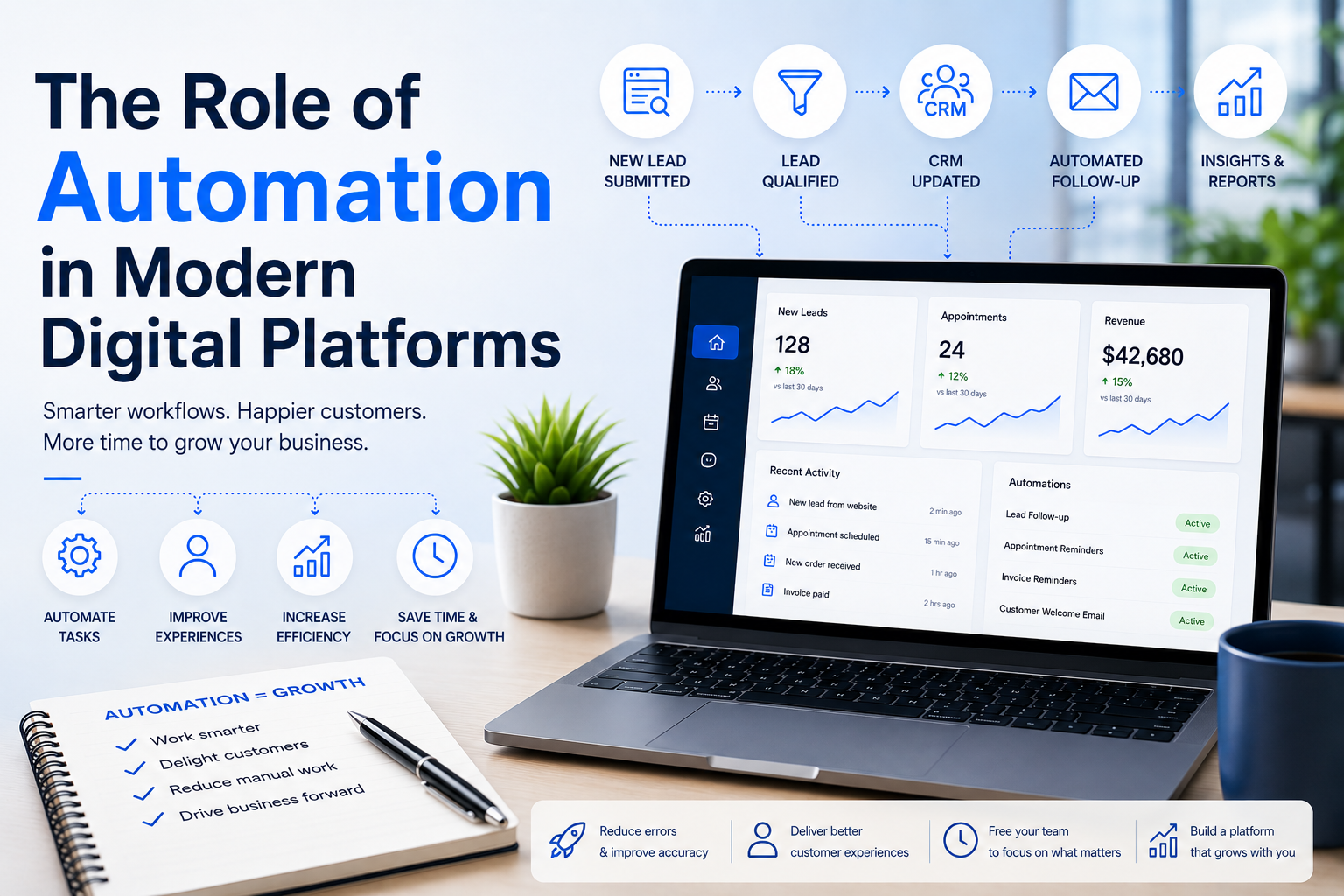 Automation in digital platforms helps businesses eliminate repetitive tasks, streamline workflows, and improve customer experiences. If you're like most business owners, you've probably caught yourself thinking,
"There has to be a better way to do this."
Automation in digital platforms helps businesses eliminate repetitive tasks, streamline workflows, and improve customer experiences. If you're like most business owners, you've probably caught yourself thinking,
"There has to be a better way to do this."Maybe your team spends hours responding to the same inquiries every week. Maybe leads come through your website, but someone still has to copy them into your CRM. Or perhaps customers are calling because they can't find the information they need online.
These aren't just everyday frustrations. They're signs that your website isn't working as hard as your business is. That is where automation in digital platforms makes a real difference.
Today's website shouldn't simply look good. It should help your business run more efficiently, reduce repetitive work, improve customer experiences, and give your team more time to focus on what matters most. Modern businesses are investing in smarter digital tools that support long-term growth through intelligent automation.
At Dreaming Code, we've seen firsthand how the right combination of technology, intelligent workflows, and thoughtful design transforms an underperforming website into a true business platform.
Why Traditional Websites Are Holding Businesses Back
Many small and medium-sized businesses still operate websites that were built several years ago.They may have looked great when they launched, but today's business challenges are very different.
- Customers expect immediate responses.
- Employees expect systems that communicate with one another.
- Business owners want visibility without juggling spreadsheets or disconnected software.
A visitor submits a form. Someone receives an email. Another employee enters the information into a CRM. Sales follows up manually. Marketing sends another email later.
Before long, several people have touched the same information multiple times.
Not only is this inefficient, but it also increases the likelihood of mistakes and delays.
One of the strongest buying signals we see is a company saying, "Everything is manual." That usually means there is a tremendous opportunity to improve efficiency through smarter technology and automation.
What Does Automation in Digital Platforms Really Mean?
When people hear the word automation, they often picture robots replacing employees. In reality, it's much simpler.Automation in digital platforms means allowing technology to handle repetitive tasks that don't require human decision-making.
Instead of spending valuable time copying information between systems, sending routine emails, updating spreadsheets, or managing appointments manually, those processes happen automatically.
Your employees spend less time on administration and more time helping customers, solving problems, and growing the business.
This isn't about replacing people. It's about giving your team better tools so they can focus on work that creates value.
Businesses that embrace automation in digital platforms automation often discover they can accomplish significantly more without adding additional staff.
Everyday Examples of Business Automation
Many business owners are surprised by how much of their daily work can be automated.Example 1: Dental Practice Automation
Imagine a dental practice. A patient books an appointment online.Instead of someone manually confirming the appointment, the website automatically:
- Confirms the booking
- Updates the calendar
- Creates a patient record
- Sends appointment reminders
- Delivers intake forms before the visit
Example 2: Manufacturing Quote Request Automation
Now consider a manufacturing company. A distributor requests a quote through the website.Instead of forwarding emails between departments, the website automatically:
- Routes the request to the correct sales representative
- Creates a CRM opportunity
- Assigns follow-up tasks
- Sends confirmation to the customer
Customers receive faster service. Employees save time. The business operates more efficiently.
How Workflow Automation Improves Digital Platforms
One of the biggest misconceptions is that automation only reduces administrative work. The truth is that a modern workflow automation website improves the entire customer experience.Customers expect answers immediately. They want to schedule appointments online. They want updates without making phone calls. They expect personalized experiences.
Automation makes these interactions feel seamless.
For example:
- Online forms automatically qualify leads.
- Live chat answers common questions.
- Customer portals display account information.
- Payment reminders are sent automatically.
- Marketing campaigns adjust based on customer behavior.
Connecting CRM, ERP, and Digital Platforms with Automation
Automation becomes even more powerful when business systems communicate with one another.Many SMBs operate several disconnected applications. Nothing talks to anything else. As businesses grow, these disconnected systems create unnecessary work.
That is why integration matters.
Connecting your website with your CRM, ERP, scheduling software, payment systems, and marketing tools creates a seamless flow of information that eliminates duplicate work and improves accuracy.
Dreaming Code specializes in helping businesses connect these systems so information flows automatically instead of requiring manual entry.
When systems communicate, everyone benefits.
- Employees work faster.
- Customers receive quicker responses.
- Management gains better visibility into business performance.
How AI Improves Automation in Digital Platforms
Automation has evolved considerably over the last few years.Modern AI is transforming automation in digital platforms by allowing businesses to:
- Answer customer questions
- Personalize website experiences
- Summarize conversations
- Qualify leads
- Route requests automatically
This is especially valuable for small and medium-sized businesses that don't have large customer service teams.
Automation Supports Digital Transformation for SMBs
Digital transformation isn't reserved for large enterprises anymore.In fact, many small and medium-sized businesses have the most to gain.
Successful digital transformation SMB initiatives often begin with improving the website because it touches nearly every customer interaction.
Think about everything your website already influences:
- Marketing
- Sales
- Customer service
- Recruiting
- Scheduling
- Payments
- Communications
That is why more businesses are moving toward a modern digital experience platform instead of managing disconnected tools individually.
A unified platform allows your website, automation, integrations, and customer experience to work together rather than operating as separate systems.
Why Ongoing Support Matters for Automated Digital Platforms
Launching automation isn't the finish line.Your business will continue evolving. You'll introduce new products, expand into new markets, and adopt new software.
Your website should evolve alongside those changes.
That is why Dreaming Code combines modern automation with ongoing management and Radical Support.
Instead of waiting until something breaks, our team continuously monitors, improves, secures, and optimizes your digital platform so it continues delivering value as your business grows.
Small Automation Improvements Deliver Big Business Results
Business owners often assume automation requires a massive digital transformation project. It usually doesn't.Sometimes the biggest wins come from solving small problems.
- Automating appointment reminders
- Routing leads automatically
- Connecting your CRM
- Simplifying online forms
- Sending follow-up emails without manual effort
Before long, your employees are spending less time managing systems and more time growing the business.
That's the real value of automation in digital platforms.
Whether you're modernizing an outdated website or looking for ways to improve operational efficiency, Dreaming Code helps businesses build digital platforms that are designed to grow with them.
If your website feels more like another job than a business asset, it may be time to rethink what it's capable of.
Ready to Put Your Website to Work?
Your website should do more than attract visitors. It should help your business operate more efficiently every single day.Dreaming Code combines modern websites, automation, AI, integrations, and ongoing management into one fully managed platform that grows with your business.
Whether you're beginning your digital transformation or looking to improve an existing website, we'd love to show you what's possible.
Ready to see what's possible?
Frequently Asked Questions
What is automation in digital platforms?
Automation on digital platforms uses technology to perform repetitive tasks. It helps businesses streamline processes such as lead routing, appointment scheduling, customer communications, and data synchronization between systems.How can automation improve my website?
Automation transforms your website from a static marketing tool into an active business asset. It can automatically capture leads, send follow-up emails, qualify prospects, schedule appointments, and connect with your CRM or ERP, reducing manual work while improving customer experience.What types of businesses benefit most from automation?
Almost any growing business can benefit, especially companies with manual processes, disconnected systems, or limited internal resources. Manufacturers, medical and dental practices, real estate firms, retailers, professional services, and nonprofit organizations often see significant improvements in efficiency and customer engagement.Do I need to replace my existing business systems?
Not necessarily. In many cases, automation can connect your existing CRM, ERP, accounting software, scheduling tools, and marketing platforms into a single, streamlined workflow. The goal is to make your current technology work together more effectively.Why choose Dreaming Code for website automation?
Dreaming Code delivers more than individual automation tools. We design, build, host, manage, and continuously optimize digital platforms that combine automation, AI, integrations, security, and ongoing support to help businesses grow with confidence.
07/02/2026
If you sell to different customers at different prices, you already know how messy it can get.
One customer has negotiated pricing. Another gets a volume discount. A distributor has access to one catalog, while a larger account has different payment terms. A regional buyer may only see certain products. Then someone from sales updates a spreadsheet, operations checks the ERP, and customer service tries to confirm which price is actually correct.
It works for a while.
Then the business grows.
Suddenly, customer-specific pricing becomes harder to manage. The same pricing questions keep coming back. Orders need extra review. Sales reps have to confirm discounts manually. Customers email for pricing instead of placing orders online. And your team spends valuable time doing work that should already be automated.
That is where customer-specific pricing ecommerce becomes important.
For manufacturers, distributors, wholesalers, and B2B sellers, pricing is rarely simple. Standard online pricing may work for consumer retail, but B2B commerce has more rules. The right customer needs to see the right products, the right pricing, and the right checkout options every time they log in.
The challenge is doing that without creating more manual work for your team.
Why Customer-Specific Pricing Gets Complicated
Many businesses start with a simple process.They keep pricing in spreadsheets. Sales reps know their accounts. Customer service checks past orders. Operations reviews special cases. Finance confirms payment terms when needed.
That can work when the customer base is small.
But as the business grows, the process starts to break down.
You may have different pricing by customer, contract, territory, order volume, product category, or distributor level. Some customers may pay by purchase order. Others may use credit cards. Some may only have access to certain products. Others may need approval before an order goes through.
Now imagine trying to manage all of that through email.
A customer requests pricing. A sales rep checks a spreadsheet. Someone confirms inventory. Another person checks the ERP. Then the customer receives a quote, but maybe the price has already changed.
It is slow. It creates room for mistakes. It also frustrates customers who expect a faster online buying experience.
This is why many B2B businesses eventually realize they do not just need an online store. They need a smarter pricing and ordering system.
What Customer Specific Pricing Ecommerce Really Means
Customer-specific pricing ecommerce means your online buying experience can show different prices, catalogs, and ordering options based on who is logged in.Instead of showing one public price to every buyer, your website can recognize the customer and apply the right rules automatically.
For example, a distributor may see negotiated wholesale pricing. A large enterprise account may see contract pricing. A regional buyer may only see products available in their location. A repeat customer may see frequently ordered items and simple reorder options.
This is where ecommerce price books become valuable.
Price books allow businesses to organize pricing by customer, segment, contract, or account type. Instead of forcing your team to remember every pricing exception, the platform handles the logic.
The customer logs in. The correct pricing appears. The order can move forward without someone manually checking every line item.
That is the kind of experience B2B buyers increasingly expect.
Manual Pricing Creates Hidden Costs
Manual pricing does not always look expensive at first.No one sees a line item called "pricing confusion" on the income statement. But the cost shows up in other ways.
Sales reps spend time answering repeat pricing questions instead of building relationships. Customer service gets pulled into order corrections. Operations have to fix errors after the fact. Finance has to resolve billing disputes. Customers wait longer than they should.
Even worse, pricing mistakes can hurt trust.
If a customer sees one price online, receives another price in an email, and gets invoiced for a third amount, they start to wonder what else is wrong.
For B2B companies, trust matters. A pricing error is not just an internal inconvenience. It can affect customer relationships, margins, and repeat business.
Automating the process helps reduce those risks.
How Automated Pricing Rules Reduce Manual Work
With automated pricing rules, your website can apply pricing logic based on customer data, account type, volume, product category, location, or contract terms.This removes the need for your team to manually review every order before the customer can buy.
For example, a wholesale customer logs in and sees wholesale pricing. A distributor sees a private product catalog. A sales rep places an order on behalf of a customer. A customer with credit terms checks out using a purchase order. A repeat buyer reorders from past purchases. A restricted product only appears for approved accounts.
These are practical improvements. They save time, but they also make the customer experience feel more professional.
Instead of waiting for a quote or emailing back and forth, buyers can place orders when they are ready.
That can be a real advantage, especially when your competitors still rely on manual follow-up.
Why ERP Pricing Integration Matters
Pricing usually does not live only on the website.For many manufacturers, distributors, and wholesalers, pricing rules are stored in an ERP, accounting system, or internal business platform. That is why ERP pricing integration is so important.
If your website and ERP are disconnected, your team may still need to update prices in multiple places. That creates duplicate work and increases the chance of errors.
A better approach is to connect the systems so pricing, inventory, customer records, and order data can move together.
When the website reflects ERP pricing logic, customers can see accurate prices online. Orders can flow back into the ERP. Inventory can update more reliably. Teams can spend less time copying data between systems.
That connection is where the real value of customer-specific pricing ecommerce starts to show.
It is not just about displaying a different price. It is about making the whole order process smoother.
B2B Order Automation Improves the Entire Workflow
Pricing is only one part of the buying journey.Once the customer sees the right price, the order still needs to move through the business. That may include inventory checks, approvals, purchase orders, payment terms, warehouse routing, fulfillment, notifications, and reporting.
B2B order automation helps connect those steps.
Instead of a team member manually reviewing every order, the platform can apply rules and route information where it needs to go.
For example, an order can be split between warehouses. A purchase order can be attached to the account. A sales rep can receive a notification. The ERP can update automatically. The customer can receive confirmation without waiting for someone to send it manually.
This is where Dreaming Code helps B2B companies turn pricing complexity into a cleaner online buying experience. Through its B2B eCommerce platform, Dreaming Code can support customer-specific catalogs, private price books, account-based permissions, purchase order checkout, reorder tools, and custom customer portals.
And through its integration services, Dreaming Code can help connect your website with ERP, CRM, inventory, accounting, fulfillment, and other business systems.
For business owners, operations leaders, and sales teams, this can be a major shift. The website becomes more than a storefront. It becomes a connected business tool that supports pricing, ordering, service, and growth.
With Radical Support, Dreaming Code also helps manage, monitor, and improve the platform over time, so the system can keep evolving as your business changes.
This is not about replacing your team. It is about giving them better tools.
Your people should not have to spend their day copying orders, checking spreadsheets, and chasing approvals. They should be helping customers, improving relationships, and growing the business.
Small Pricing Fixes Can Create Big Operational Wins
You do not always need to rebuild everything at once.Sometimes the best first step is identifying where pricing slows the business down.
Where does your team still rely on spreadsheets? Which customers require manual approvals? Which orders need review before they can move forward? Where do pricing mistakes happen most often?
Once you know where the friction lives, you can start building a better workflow.
Customer-specific pricing is not just a technical feature. It is an operational improvement. Done well, it saves time, reduces mistakes, improves customer experience, and helps your team scale without adding unnecessary complexity.
That is the real value of customer-specific pricing ecommerce.
Ready to Remove Manual Pricing Work?
Your customers should not have to wait for pricing confirmation every time they want to place an order.And your team should not have to manage every pricing exception by hand.
Dreaming Code helps manufacturers, distributors, wholesalers, and B2B sellers build connected ecommerce platforms that support customer-specific pricing, price books, ERP integration, order automation, and ongoing management.
If pricing has become too manual, too slow, or too hard to manage, it may be time to rethink how your website supports the business.
You can book a demo to see how Dreaming Code can help turn complex pricing into a cleaner, more scalable online buying experience.
Frequently Asked Questions
What is customer specific pricing ecommerce?
Customer specific pricing ecommerce allows different customers to see different prices, products, catalogs, and checkout options when they log in. It is commonly used by manufacturers, distributors, wholesalers, and B2B sellers with negotiated pricing or account-based terms.Why is manual customer pricing difficult to manage?
Manual pricing is difficult because pricing rules often change by customer, contract, volume, location, product type, or payment terms. When these rules live in spreadsheets or emails, teams spend too much time checking prices and fixing mistakes.What are ecommerce price books?
Ecommerce price books organize pricing by customer, account, contract, or segment. They help businesses show the right pricing online without forcing employees to manually apply discounts or review every order.How does ERP pricing integration help?
ERP pricing integration connects your website to your ERP or business system, so customer pricing, inventory, orders, and account data can stay aligned. This reduces duplicate data entry and helps customers see more accurate pricing online.How can Dreaming Code help with customer-specific pricing?
Dreaming Code builds and manages B2B ecommerce platforms with customer-specific catalogs, private price books, ERP integration, B2B order automation, purchase order checkout, and ongoing support for growing businesses.
06/30/2026
 If your website hasn't been touched in years, you're in good company. A lot of small and medium-sized businesses are still running on sites that were built once, launched, and then largely left alone. They might look fine on the surface, but under the hood they're often quietly generating extra work, higher costs, security gaps, and missed opportunities.
Customer expectations have shifted, though. A website functions more like an operating system for the business, one that has to attract customers, generate leads, support day-to-day operations, and build trust all at once.
That shift is why more companies are moving away from the old build-it-once model and toward a managed website platform instead. A fully managed setup takes the burden of upkeep off the business and, in the process, tends to improve performance, security, and the ability to scale.
At Dreaming Code, we see this pattern play out constantly. Owners want a modern setup that lets them focus on running their business rather than babysitting technology.
What Is a Traditional Website?
A traditional site is usually built as a one-off project. A company hires a designer or an agency, the site goes live, and everyone assumes it will keep humming along for years without much attention.Under the hood, these builds typically combine front-end technology — HTML, CSS, JavaScript, often paired with a framework like React, Angular, or Vue — with a content management system such as WordPress or Drupal, plus a custom back end that handles content, data, and business logic. That flexibility comes at a price: the result is usually a patchwork of separate technologies, hosting environments, plugins, integrations, and vendors, each of which needs its own upkeep. As the site grows, keeping everything updated, secure, fast, and functional gets harder and more expensive, especially for a company without in-house technical staff.
This approach wasn't built for the kind of always-on digital infrastructure companies now rely on. Sites like this tend to share a familiar set of traits: hosting split across different providers, a stack of third-party plugins, updates that only happen manually, thin support, growing security holes, performance that degrades over time, and content that goes stale because nobody has the bandwidth to touch it.
Business owners often find that every change needs a developer, every new feature turns into its own project, and every problem shows up as a surprise bill. Little by little, the site falls behind.
The Hidden Costs of Traditional Websites
The sticker price on a traditional build can look appealing at first glance. What gets missed is everything required to keep it running afterward including hosting fees, security software, plugin licenses, emergency fixes, eventual redesigns, performance tuning, and SEO cleanup, to name the usual suspects.A manufacturer, for instance, might spend thousands a year just maintaining the connection between its website and its ERP system. A dental practice might discover that adding online scheduling isn't a quick tweak but a costly rebuild. What began as a simple site quietly turns into a pile of disconnected tools, each demanding its own attention.
What Is a Managed Website Platform?
A managed platform starts from a different premise. Rather than treating the website as something you build once and forget, it treats it as an ongoing part of the business with design and development, hosting, security, maintenance, performance monitoring, SEO, content management, technical support, and system integrations, all handled together.Instead of juggling several vendors, a business works with one partner accountable for the whole digital experience. That single point of ownership tends to produce more consistency and better outcomes over time. It's the reasoning behind Dreaming Code's managed digital experience platform, which folds all of these services into one coordinated solution.
How a Managed Platform Supports Growth
A managed platform isn't just about keeping the lights on but it's meant to actively support growth. Instead of scrambling to fix problems as they surface, a business can get ahead of them: improving the customer experience, tuning performance, and rolling out new capabilities as needs change. That matters most for small and mid-sized companies that don't have an internal IT team to lean on.Comparing the Two Head to Head
On the management side, the difference is stark. A traditional setup usually means multiple vendors, maintenance that only kicks in after something breaks, updates done by hand, and accountability that's hard to pin down. A managed platform replaces that with one point of contact, upkeep that happens before problems appear, continuous improvement, and clear ownership. For a lot of owners, that shift alone is worth the switch.Security tells a similar story. Older sites tend to lean on outdated plugins and software nobody's watching closely, which is exactly how vulnerabilities and slowdowns creep in. A managed platform folds in continuous updates, monitoring, backups, and optimization, so the site stays secure and responsive without anyone having to remember to check on it.
Scalability is where the gap really shows. A site built as a one-time project tends to resist change. Adding features like appointment scheduling, CRM integration, customer portals, or marketing automation usually means a fresh development project and a fresh invoice. A platform built to be managed can absorb that kind of growth without requiring a rebuild.
Then there's the support problem, which might be the most frustrating part for owners: the hosting company blames the developer, the developer blames the plugin, the plugin vendor blames the server however and the business is stuck waiting in the middle. Dreaming Code built its Radical Support service specifically to short-circuit that cycle, catching issues before they turn into fire drills rather than reacting once something's already broken.
A Manufacturing Example
Picture a manufacturer that sells through both distributors and direct customers. On a traditional site, quotes might have to be requested manually, the catalog might be out of sync with reality, there's no link to the ERP system, and staff end up doing the same data entry twice. A managed platform can connect straight into the ERP, personalize the experience for each customer type, route leads automatically, sharpen search visibility, and make content updates simple. Dreaming Code works through exactly these kinds of problems regularly enabling ERP integrations, EDI connections, customer-specific pricing, dropshipping workflows, automated order management so the website ends up supporting operations instead of adding to the workload.Why the Shift Is Happening
Customers now expect fast load times, a smooth mobile experience, easy navigation, content that feels personalized, secure interactions, and consistent communication with a site built as a one-time project that usually struggles to keep up on all fronts at once. A managed digital experience platform supplies the infrastructure, flexibility, and support needed to compete on those terms, and it gives a business room to grow into whatever the goal, lead generation, deeper customer engagement, scheduling, content marketing, or expanding into eCommerce. More companies are turning to a modern digital experience platform for exactly this reason: it cuts down technical debt while lifting both marketing results and the overall user experience.Signs It's Time for an Upgrade
A few warning signs tend to show up together: the site is more than three years old, updates are slow or expensive, several vendors each own a piece of it, performance is inconsistent, security concerns keep surfacing, leads have plateaued, and there's little visibility into how the site is actually performing. If more than a couple of those sound familiar, it's probably worth a closer look at a managed alternative.Ready for a Better Website Experience?
If your site feels outdated, hard to manage, or unable to keep up with where the business is headed, it may be time to look at a managed alternative. Dreaming Code helps companies retire outdated sites in favor of a fully managed solution — design, hosting, support, SEO, integrations, and ongoing optimization, all in one place.Through our managed digital experience platform, businesses get a partner focused on long-term growth instead of a one-off project. Book a Demo to see how Dreaming Code can help reshape your digital presence.
Frequently Asked Questions
What is a managed website platform?
It's a fully supported website solution — hosting, maintenance, security, updates, support, and ongoing optimization — all handled by one provider.How does it differ from a traditional website?
A traditional site is usually delivered once and left alone. A managed platform keeps managing, supporting, and improving the site over time.Is it more expensive?
Not necessarily. There's often a monthly cost, but many businesses end up saving once they factor in what they'd otherwise spend on maintenance, emergency fixes, security incidents, and eventual redesigns.Which businesses benefit most?
Small and mid-sized companies without a dedicated web or IT team tend to see the biggest difference.Where can I learn more?
Check out Dreaming Code's FAQs page, or book a consultation to talk through your specific situation.
05/20/2026
 If you're a business owner looking at your website and thinking,
“This should be doing more," you're probably right.
If you're a business owner looking at your website and thinking,
“This should be doing more," you're probably right.
Most SMB websites don't fail because of design. They fail because they're disconnected. They don't integrate with the rest of the business. They don't automate anything. And they definitely don't evolve.
That's where a managed digital experience platform changes everything.
Let's walk through what it actually is and why more companies are moving in this direction.
What Is a Managed Digital Experience Platform?
A managed digital experience platform is a fully managed system that combines your website, integrations, automation, hosting, and ongoing support into one connected solution.Instead of juggling multiple vendors and tools, everything lives in one place and works together.
Your website becomes more than a marketing tool. It becomes part of how your business operates.
With a modern platform, you get:
- A high-performing digital experience platform
- Built-in integrations with CRM, ERP, and scheduling tools
- Automation for lead capture and workflows
- Hosting, security, and performance handled for you
- Ongoing updates and improvements
How a Managed Digital Experience Platform Actually Works
Let's simplify this.Most SMBs operate with disconnected tools. A website here. A CRM there. Scheduling somewhere else. It works, but it creates friction.
A managed digital experience platform brings everything together.
One Connected System
Your content, customer data, and workflows are all tied together.
A visitor fills out a form. That data flows into your CRM. A follow-up gets triggered automatically. If they book a meeting, it's already synced.
No manual work. No dropped leads.
Automation That Saves Time
This is where the real value shows up.
Instead of handling tasks manually, the platform automates:
- Lead routing and notifications
- Appointment scheduling
- Order processing
- Customer communication
Fully Managed from Day One
You're not left figuring things out.
A managed website platform includes hosting, updates, security, and ongoing optimization. With Dreaming Code, that also means access to Radical Support so your site keeps improving over time.
Why SMB Websites Underperform and How This Fixes It
If your site isn't delivering results, it's usually not a content issue. It's a system issue.Here's what a managed digital experience platform solves.
Your Website Starts Driving Growth
Instead of just sitting there, your site:
- Captures leads
- Guides visitors toward action
- Connects directly to your systems
- Automates follow-ups
You Eliminate Manual Work
Many SMBs spend hours on repetitive tasks.
Entering data. Following up. Managing bookings.
A digital platform for SMBs removes much of that work so your team can focus on higher-value activities.
Your Systems Finally Talk to Each Other
Disconnected tools create delays and errors.
A digital experience platform for businesses connects everything so data flows naturally between systems.
That's where efficiency comes from.
You Simplify Your Vendor Stack
Instead of dealing with multiple vendors, you work with one partner.
One platform. One team. One place to go when something needs to change.
Real-World Examples
B2B Distributor with Manual OrdersA distributor was managing pricing and orders manually.
After moving to a managed digital experience platform:
- Customers log in to see custom pricing
- Orders sync directly with backend systems
- Sales reps use a digital portal
Medical Practice with Scheduling Challenges
A clinic relied on phone calls and paperwork.
After adopting a managed website platform:
- Patients book online
- Intake forms are digital
- Automated reminders reduce no-shows
Service Business Needing Better Leads
A local service company had traffic but low conversion.
After implementing a digital platform for SMBs:
- Leads are captured instantly
- Follow-ups are automated
- Performance is tracked clearly
Why Dreaming Code Is Built for This
Dreaming Code is designed for SMBs that need more than a basic website but don't want to manage a complex tech stack.- Fully managed platform from design to hosting
- Deep integrations with tools like Sage and Salesforce
- Built for digital experiences and commerce
- Continuous optimization and support
- A true partner approach
Final Thoughts
A managed digital experience platform is not just a better website. It's a better system for running your digital business.Less manual work. More automation. More clarity.
If your current setup feels stuck, this is usually the next step.
If you want to see how it works for your business, you can book a demo and explore it firsthand.

02/24/2025
At Dreaming Code, we specialize in building HIPAA-compliant dental websites that enhance user experience, improve search rankings, and simplify digital marketing. We provide end-to-end solutions tailored to the needs of modern dental practices, integrating compliance-driven security, automated marketing tools, AI-powered enhancements, and seamless social media management.
Here's what enables your patients to have a great web experience:
1. HIPAA-Compliant Website Design & Security
A HIPAA-compliant website ensures that patient data is securely stored, shared, and managed according to federal regulations. Non-compliance can result in hefty fines and damage to your practice's reputation. Dreaming Code builds secure dental websites that meet stringent HIPAA security requirements by incorporating encrypted data storage, two-factor authentication, and secure patient forms. Our HIPAA-compliant hosting guarantees the safety of sensitive information while ensuring seamless functionality.How to Ensure a Secure Dental Website:
- SSL Encryption: Encrypt all patient forms, emails, and chat communications.
- Secure Patient Portals: Ensure patient appointment bookings and data access are safely managed.
- HIPAA-Compliant Hosting: Your dental web design should include secure servers that meet HIPAA requirements.
- Access Controls: Limit access to patient data to only authorized personnel.
2. Managing Reviews & Online Reputation for Dental Practices
Online reputation is everything in healthcare. Online reviews for dentists influence patient decisions, build credibility, and improve local dental SEO rankings. Dreaming Code's reputation management solutions automate review collection, allowing practices to request, manage, and showcase patient testimonials effortlessly. We also integrate AI-powered sentiment analysis tools that highlight trends in patient feedback and identify areas for improvement, keeping your practice's reputation strong.Best Practices for Dental Reputation Management:
- Encourage Positive Reviews: Prompt happy patients to leave reviews on Google and social media.
- Respond to Negative Feedback Professionally: Address concerns, offer solutions, and show you care about patient experiences.
- Display Reviews on Your Website: Feature patient testimonials and real success stories prominently.
3. Smart AI Tools for Better Digital Experiences
With advancements in dental AI tools, dentists can streamline operations, enhance patient interactions, and drive conversions. Dreaming Code integrates innovative dental website features, including AI-driven chatbots that answer patient inquiries 24/7, automated appointment scheduling to reduce administrative workload, and AI-powered SEO tools that improve search rankings by analyzing visitor behavior and optimizing content.AI-Powered Features for Smart Dental Websites:
- AI Chatbots for Instant Patient Support
- Automated Appointment Reminders & Scheduling
- AI-Powered SEO Optimization for Higher Search Rankings
- Personalized Content for Patient Engagement
4. Maintaining a Strong Social Media Presence
A strong dentist marketing strategy includes social media to boost engagement and keep your practice top-of-mind. Dreaming Code's automated dental marketing solutions integrate dental social media scheduling, AI-generated content recommendations, and multi-platform posting to keep your practice visible across Facebook, Instagram, and Google My Business without requiring constant manual effort.Effective Dental Digital Marketing Strategies:
- Educational Content: Share tips on oral health, procedures, and new treatments.
- Before & After Photos: Showcase real patient results (with consent).
- Engage With Followers: Respond to comments, answer questions, and encourage bookings.
- Run Promotions & Offers: Special discounts, referral programs, and seasonal campaigns.
Conclusion
A high-performing dental website is more than just a digital brochure—it's a powerful tool for attracting new patients, enhancing engagement, and ensuring compliance. By prioritizing HIPAA-compliant security, reputation management, AI-driven enhancements, and social media integration, dental practices can create a seamless and professional online experience.Dreaming Code builds secure, optimized, and automated dental websites that improve patient interactions, boost search rankings, and simplify marketing efforts. Investing in the right digital solutions ensures your practice stays competitive while delivering exceptional patient experiences. Schedule an appointment with us today to connect with our solution consultants!
FAQs: Essential Components to Good Dental Website Experiences
1. What makes a dental website HIPAA-compliant?A HIPAA-compliant dental website includes encrypted forms, secure hosting, access controls, and data privacy measures to protect patient information.
2. How can a dental website improve its online reputation?
Managing dental reviews and dentist testimonials, responding to feedback, and showcasing patient success stories on your website help improve credibility and attract new patients.
3. What AI tools can improve a dental website's performance?
AI for dental websites includes chatbots, automated appointment scheduling, predictive SEO optimization, and personalized content that enhance patient experience and engagement.
4. Why is social media important for dental practices?
Dental social media helps increase brand awareness, engage with potential patients, showcase expertise, and drive more bookings through digital channels.

11/20/2024
Why LinkedIn is important for B2B Lead Generation
LinkedIn's unique positioning as a professional networking site makes it an ideal platform for B2B marketing. According to LinkedIn, four out of five members drive business decisions, providing a direct line to the decision-makers you want to reach. The platform's robust targeting capabilities allow businesses to tailor their content and advertisements to specific audiences based on job title, industry, company size, and more. This precise targeting, combined with LinkedIn's professional environment, helps build trust and credibility, which is essential for successful B2B marketing.Checklist for optimizing Your LinkedIn Company Page
- High-Quality Profile & Banner Images: First impressions matter. Ensure your profile picture (usually your company logo) and banner image are high-quality and visually appealing. This helps attract visitors and establish a professional image.
- Compelling "About Us" Section: Write a persuasive and keyword-rich "About Us" section. This should convey who you are, what you offer, your values, and how to contact you. Including relevant keywords will improve your visibility in LinkedIn search results.
- Share Unique and Valuable Content: Regularly post informative, engaging, and relevant content to your industry. This can include company updates, industry news, thought leadership articles, and employee highlights. High-quality content helps establish your brand as a thought leader and keeps your audience engaged.
- Grow Your Audience: Use LinkedIn's features to expand your reach. Invite first-degree connections to follow your page, use targeted posts, and leverage hashtags to increase visibility. Consider paid promotions to extend your reach further.
- Build a Career Page: A dedicated career page can attract potential employees and showcase your company culture. This is particularly useful for businesses looking to grow their team and attract top talent.
- Join and Engage in Groups: Participate in LinkedIn Groups relevant to your industry. This will help you build your authority and connect with potential leads organically.
Conclusion
Optimizing your LinkedIn company page is a strategic move for enhancing B2B lead generation. By focusing on high-quality visuals, compelling content, and active engagement, you can build a strong brand presence and connect with key decision-makers. Remember, every interaction on LinkedIn is an opportunity to build relationships and generate leads. Incorporate these practices as part of your overall marketing strategy, and leverage platforms like Dreamingcode to ensure 24/7 support for your digital marketing efforts.DreamingCode is a partner who can drive your digital success. We provide an industry-leading platform to enable agile and flexible digital experiences. We have solutions tailored to your needs if you seek advice on driving website traffic and user experience. Our solution consultants are eager to support you in planning, building, and scaling your digital transformation. Schedule to meet us today!