 Customer Support


Posts by Category

10/06/2023
In 2023, the landscape of Americans with Disabilities Act (ADA) compliance is evolving to meet the dynamic needs of digital accessibility for Americans. These guidelines are also a derivative of the Web Content Accessibility Guidelines (WCAG). They are part of a series of web accessibility guidelines published by the Web Accessibility Initiative of the World Wide Web Consortium (W3C), the leading international standards organization for the Internet. Understanding the key trends can ensure that businesses meet legal requirements and create an inclusive online environment for all users. These guidelines help drive traffic and improve the user experience for every digital website.
Trends for ADA Compliance in 2023
AI-Powered Accessibility Tools:
Today, accessibility tools are becoming more sophisticated by leveraging AI and machine learning. These technologies can automatically identify and fix common accessibility issues, making it easier for businesses to maintain compliance. More on that later.
Mobile Accessibility Focus:
With the increasing reliance on mobile devices, ADA compliance efforts are shifting towards ensuring mobile accessibility. It includes optimizing mobile apps and websites for screen readers, touch navigation, and voice control.
Fully Managed E-commerce Solution: A fully managed e-commerce solution typically offers more extensive customization options, often allowing businesses to build completely tailored online stores. These solutions are designed to accommodate complex business needs and unique design requirements.
Emphasis on Inclusive Design:
Inclusive design principles are gaining prominence. This approach involves designing products and services from the outset to be usable by as many people as possible, regardless of their abilities or disabilities.
Fully Managed E-commerce Solution: With a fully managed solution, you may have more control over the hosting environment, data, and codebase. This level of control can be advantageous for businesses that require specific technical configurations or have strict data security requirements.
Achieving ADA Compliance in 2023
Conducting Thorough Audits:
Shopify handles many aspects of maintenance, updates, security, and customer support. This can be convenient for businesses that want to focus on selling products rather than managing technical details.
Implementing Accessible Design Practices:
Integrate accessible design principles from the outset of any digital project. Prioritize features like alt text for images, keyboard navigation, and proper heading structures to ensure a seamless experience for all users.
Regular Testing and Monitoring:
Establish regular testing schedules and ongoing monitoring to address any accessibility issues promptly. This proactive approach helps maintain compliance throughout the year.
Evolving Legal Standards:
Stay updated with any changes in ADA compliance laws and regulations. Regularly review legal requirements to ensure ongoing compliance.
Content Updates and Changes:
Whenever content is added or modified, ensure that it maintains accessibility standards. It includes adding alt text for new images and verifying that interactive elements remain user-friendly.
User Feedback and Testing:
Actively seek feedback from users, including those with disabilities, to identify accessibility challenges. Incorporate this feedback into your ongoing compliance efforts.
Staying on top of ADA compliance trends in 2023 involves embracing new technologies, prioritizing inclusive design, and maintaining vigilance through regular audits and testing. Fortunately, DreamingCode Radical Support can offer this to websites as a subscriber to our platform. We handle all the regular updates and audits using our partner, Userway. By understanding the evolving landscape and addressing accessibility proactively, businesses can create a digital environment that is welcoming and accessible to all users.
Dreaming Code is a partner who can drive your digital success. We provide an industry-leading platform to enable agile and flexible digital experiences. We also offer monthly content services to help you succeed at moving the performance of your digital solution. Our solution consultants are eager to support you in planning, building, and scaling your digital transformation. Schedule to meet us today!
To learn more about the Dreaming Code eCommerce platform visit: https://dreamingcode.com.
Trends for ADA Compliance in 2023
AI-Powered Accessibility Tools:
Today, accessibility tools are becoming more sophisticated by leveraging AI and machine learning. These technologies can automatically identify and fix common accessibility issues, making it easier for businesses to maintain compliance. More on that later.
Mobile Accessibility Focus:
With the increasing reliance on mobile devices, ADA compliance efforts are shifting towards ensuring mobile accessibility. It includes optimizing mobile apps and websites for screen readers, touch navigation, and voice control.
Fully Managed E-commerce Solution: A fully managed e-commerce solution typically offers more extensive customization options, often allowing businesses to build completely tailored online stores. These solutions are designed to accommodate complex business needs and unique design requirements.
Emphasis on Inclusive Design:
Inclusive design principles are gaining prominence. This approach involves designing products and services from the outset to be usable by as many people as possible, regardless of their abilities or disabilities.
Fully Managed E-commerce Solution: With a fully managed solution, you may have more control over the hosting environment, data, and codebase. This level of control can be advantageous for businesses that require specific technical configurations or have strict data security requirements.
Achieving ADA Compliance in 2023
Conducting Thorough Audits:
Shopify handles many aspects of maintenance, updates, security, and customer support. This can be convenient for businesses that want to focus on selling products rather than managing technical details.
Implementing Accessible Design Practices:
Integrate accessible design principles from the outset of any digital project. Prioritize features like alt text for images, keyboard navigation, and proper heading structures to ensure a seamless experience for all users.
Regular Testing and Monitoring:
Establish regular testing schedules and ongoing monitoring to address any accessibility issues promptly. This proactive approach helps maintain compliance throughout the year.
Evolving Legal Standards:
Stay updated with any changes in ADA compliance laws and regulations. Regularly review legal requirements to ensure ongoing compliance.
Content Updates and Changes:
Whenever content is added or modified, ensure that it maintains accessibility standards. It includes adding alt text for new images and verifying that interactive elements remain user-friendly.
User Feedback and Testing:
Actively seek feedback from users, including those with disabilities, to identify accessibility challenges. Incorporate this feedback into your ongoing compliance efforts.
Staying on top of ADA compliance trends in 2023 involves embracing new technologies, prioritizing inclusive design, and maintaining vigilance through regular audits and testing. Fortunately, DreamingCode Radical Support can offer this to websites as a subscriber to our platform. We handle all the regular updates and audits using our partner, Userway. By understanding the evolving landscape and addressing accessibility proactively, businesses can create a digital environment that is welcoming and accessible to all users.
Dreaming Code is a partner who can drive your digital success. We provide an industry-leading platform to enable agile and flexible digital experiences. We also offer monthly content services to help you succeed at moving the performance of your digital solution. Our solution consultants are eager to support you in planning, building, and scaling your digital transformation. Schedule to meet us today!
To learn more about the Dreaming Code eCommerce platform visit: https://dreamingcode.com.

09/22/2023
In the realm of digital solutions, two prominent options stand out: WordPress and fully managed digital experience solutions like Dreaming Code. Each approach offers unique features and benefits, catering to distinct needs and preferences. In this comparison blog, we'll dissect the differences between these two alternatives, helping you make an informed decision for your digital endeavors.
1. Flexibility and Customization:
WordPress: Known for its flexibility, WordPress empowers users to design and customize their websites to match their exact specifications. A vast array of themes, plugins, and coding options are available, allowing for extensive customization.
Fully Managed Digital Solution: A fully managed digital solution might provide a balance between flexibility and convenience. While not as customizable as WordPress, it often offers pre-built templates and layouts that can be tailored to your branding. It's an ideal choice if you seek customization without delving deep into technical details.
2. Technical Expertise:
WordPress: Building and managing a WordPress website might require a certain level of technical proficiency. Users need to handle updates, security measures, and potential troubleshooting.
Fully Managed Digital Solution: This option is designed for those who want to focus on content creation rather than technical aspects. Managed solutions typically handle updates, security, and maintenance, freeing you from these responsibilities.
3. Scalability:
WordPress: As your website grows, scaling it on WordPress may demand more resources and optimization efforts. You'll need to ensure that your hosting plan can handle increased traffic and data.
Fully Managed Digital Solution: Managed solutions often offer scalability options that can accommodate growing traffic and evolving needs. This makes them a reliable choice for businesses anticipating rapid expansion.
4. Time and Efficiency:
WordPress: Setting up and maintaining a WordPress website requires time and effort. Customizations, installations, and ongoing management tasks can be time-consuming. Managing the multitude of plugins can also create challenges if not implemented properly.
Fully Managed Digital Solution: Managed solutions prioritize convenience and efficiency. With pre-configured settings and streamlined setups, you can have your digital presence up and running swiftly.
5. Security and Support:
WordPress: While WordPress provides security measures, managing security updates and protecting against vulnerabilities can be a concern for individual users.
Fully Managed Digital Solution: Managed solutions often come with built-in security features and regular updates to safeguard your website. Additionally, they offer dedicated customer support to address any issues that arise.
6. Cost Considerations:
WordPress: While WordPress itself is free, costs can accrue from hosting, themes, plugins, and potentially hiring professionals for customization and technical support.
Fully Managed Digital Solution: Managed solutions typically involve a monthly fee that covers hosting, security, updates, and support. This predictable cost structure can be advantageous for budget planning.
In conclusion, the choice between WordPress and a fully managed digital solution depends on your priorities, technical proficiency, scalability needs, and desired level of control. If you seek extensive customization and are comfortable managing technical aspects, WordPress might be suitable. On the other hand, a fully managed digital solution offers convenience, security, and scalability for those who prioritize a hassle-free digital presence. By carefully evaluating your requirements, you can make an informed decision that aligns with your digital goals.
Dreaming Code is a partner who can drive your digital success. We provide an industry-leading platform to enable agile and flexible digital experiences. We also offer monthly content services to help you succeed at moving the performance of your digital solution. Our solution consultants are eager to support you in planning, building, and scaling your digital transformation. Schedule to meet us today!

09/15/2023
Customer engagement has become an essential strategy to help maintain and grow your digital presence. Both loved and despised, the chatbot has become a viable solution to help companies automate customer engagement. These AI-powered virtual assistants have transformed the way businesses interact with their audience. Let's review the latest trends in using chatbots to engage customers on websites and the right situation when brands should consider implementing them.
The Latest Trends in Chatbot Integration
Personalized Customer Experiences: Modern chatbots have advanced algorithms to provide highly personalized interactions. They can analyze user behavior, preferences, and purchase history to offer tailored recommendations and assistance in an automated manner.
Multilingual Capabilities: With the global reach of e-commerce, multilingual chatbots have become essential. Brands can now engage with customers in their native language, breaking down language barriers and expanding their customer base.
AI-Powered Product Recommendations: Chatbots can now use machine learning algorithms to suggest products based on customer preferences. This level of personalization enhances the shopping experience, leading to increased conversions.
Seamless Integration with Other Systems: Chatbots can now integrate with various CRM and e-commerce platforms, enabling them to access and update customer information in real-time. This ensures a unified customer experience across all touchpoints.
Why Brands Need to Consider Chatbots?
24/7 Availability: Chatbots provide round-the-clock customer support, catering to global audiences and different time zones. This ensures customers can get assistance whenever needed, leading to higher satisfaction.
Efficient Handling of Frequently Asked Questions: Chatbots excel at handling routine inquiries, freeing up human agents to focus on more complex issues. This leads to faster response times and improved operational efficiency.
Enhanced Customer Engagement: Interactive chatbots can engage users in meaningful conversations, capturing leads and guiding them through the sales funnel. This proactive approach can significantly boost conversion rates.
Cost-Effectiveness: Once set up, chatbots can handle a large volume of inquiries simultaneously, reducing the need for a large customer support team. This translates to cost savings for e-commerce brands.
Deployment advice
Use a Chatbot When:
Routine Queries are Common: A chatbot can efficiently handle these inquiries if your business receives a high volume of frequently asked questions. 24/7 Availability is Necessary: If your target audience spans different time zones, a chatbot ensures continuous support and engagement. You Want to Enhance Customer Engagement: For interactive product recommendations, guided shopping experiences, and lead capture, a chatbot is invaluable.
Do Not Use a Chatbot When:
Complex Human Interaction is Required: If a situation demands emotional intelligence, empathy, or a high degree of customization, human agents are better equipped to handle it. Limited Resources for Implementation: If your business needs more resources or technical expertise to implement and maintain a chatbot effectively, it may not be the right time to deploy one.
Dreaming Code is a partner who can drive your digital success. We provide an industry-leading platform to enable agile and flexible digital experiences. We also offer monthly content services to help you succeed at moving the performance of your digital solution. Our solution consultants are eager to support you in planning, building, and scaling your digital transformation. Schedule to meet us today!
To learn more about the Dreaming Code eCommerce platform visit: https://dreamingcode.com.

08/07/2023

So you have decided it's time for a new website. There are many options to explore, and these all have implications around cost, level of technical expertise, time, and the type of website you need.
Using a managed service web platform offers several advantages over building a website on your own or using a web agency. Here are some reasons why a managed service web platform can be a better choice:
1. Ease of Use and No Setup: Managed service web platforms are designed to be simple, making it easy for individuals without extensive technical expertise to launch and manage a website. The setup process is streamlined, where the vendor provides upfront design and development support, so you don't need to do anything technical. They have reference designs, and should you need changes or unique designs, their platform can support this need. This means you can get your website up and running quickly without complex coding or configurations.
2. Cost-Effectiveness: Building a website from scratch or hiring a web agency can be costly. A managed service web platform typically offers various pricing plans, including free options with basic features and premium plans with more advanced functionalities. The overall cost is often more predictable and affordable than custom website development or agency fees.
3. Hosting and Maintenance Included: A managed service platform handles website hosting and maintenance for you. This means you don't need to worry about finding a separate hosting provider or dealing with technical aspects like server management, updates, and security. The platform handles all these tasks, ensuring your website remains secure and accessible to users.
4. Technical Support and Customer Service: With a managed service platform, you can access technical support and customer service to help you with any issues or questions. This support can be valuable, especially if you need a dedicated IT team to handle website-related problems. Quick and reliable assistance can save time and prevent potential disruptions to your website.
5. Regular Updates and Security Patches: Managed service platforms regularly update their software, plugins, and security measures to keep your website running smoothly and protect it from vulnerabilities. This proactive approach helps ensure your website remains secure and up-to-date without requiring constant manual intervention.
6. Scalability and Flexibility: Managed service platforms often offer a range of features and add-ons that allow you to scale your website as your business grows. Without extensive development work, you can easily add new pages, features, and functionalities. This flexibility ensures your website can adapt to changing business needs and requirements.
7. Pre-designed Templates: Managed service platforms typically provide a selection of professionally designed templates that you can customize to match your brand and style. These templates are optimized for responsiveness and user experience, saving you time and effort in creating a website from scratch.
8. Time-Saving: Using a managed service platform can significantly reduce the time it takes to build and launch a website. Since the platform handles many technical aspects, you can focus more on creating content, optimizing user experience, and growing your business.
9. Pre-Built Integrations - Prebuilt integrations for websites and ERP backends are essential because they offer numerous advantages that streamline development processes, enhance functionality, and improve overall efficiency. Developing custom integrations can be expensive, requiring additional resources and specialized expertise. Prebuilt integrations often come with affordable pricing models, making them a cost-effective solution for businesses of all sizes.
While using a managed service web platform has advantages, it may only be suitable for some scenarios. Businesses with specific and complex requirements or those seeking highly unique designs might still prefer the level of customization and control that comes with building a website on their own or working with a web agency. Ultimately, the choice depends on your needs, budget, and technical expertise.
Dreaming Code is a partner who can drive your digital success. We provide an industry-leading platform to enable agile and flexible digital experiences. We also offer monthly content services to help you succeed at moving the performance of your digital solution. Our solution consultants are eager to support you to plan, build and scale your digital transformation. Schedule to meet us today!
To learn more about the Dreaming Code eCommerce platform visit: https://dreamingcode.com.

08/03/2023
Sales & Marketing
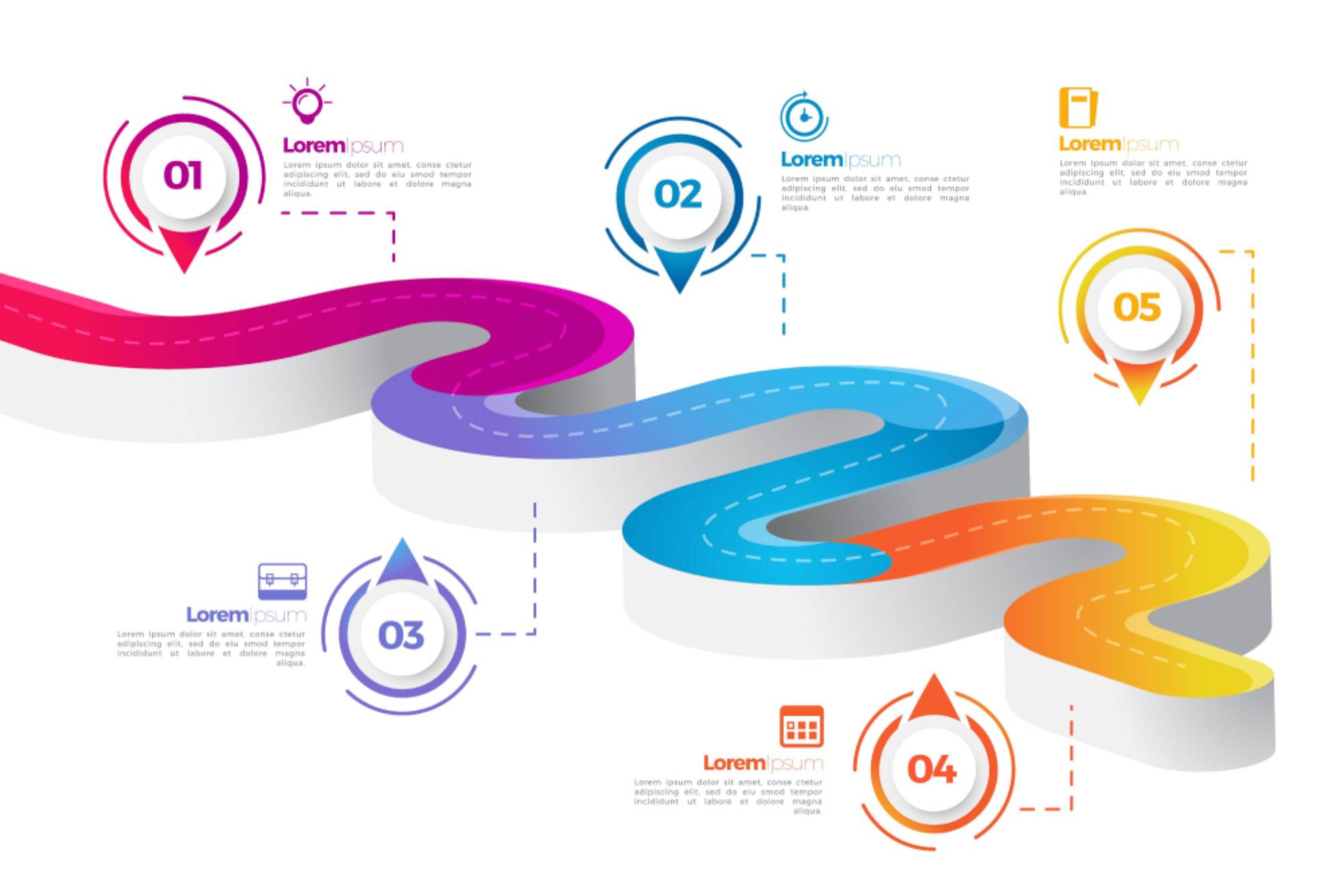
Creating a compelling business website requires careful planning and a well-defined content roadmap. A content roadmap is a strategic plan that outlines the key steps and milestones for developing, organizing, and publishing website content. It serves as a guide to ensure that your website's content aligns with your business objectives, engages your target audience, and drives conversions. Building a content roadmap involves several crucial steps to set your website apart from the competition and maximize its potential.
Step 1: Define Your Goals and Audience:
Before launching any content creation process, it's essential to understand your goals and target audience. Determine the primary purpose of your website – whether it's to showcase products, provide information, or generate leads. Next, identify your target audience's preferences, pain points, and interests. This knowledge will shape the type of content you create and ensure it resonates with your visitors. Writing these down and consistently updating them is necessary to ensure your content is relevant to your audience.
Step 2: Types of Web Content
Various types of web content can enhance your website's overall appeal and engagement. Consider incorporating:
- Informative Articles and Blog Posts: Provide valuable information about your industry, products, or services. They showcase your expertise and improve your website's SEO by attracting organic traffic.
- Engaging Videos: Videos are a powerful way to convey your brand message, demonstrate products, and connect with your audience emotionally.
- Compelling Visuals: High-quality images, infographics, and graphics can capture attention and improve the overall aesthetics of your website.
- Customer Testimonials: Including authentic customer reviews and testimonials builds trust and credibility.
Step 3: Content Generation and Publication
Generating regular content is essential for maintaining a vibrant website. Here are some practical ways to create and publish content:
- Editorial Calendar: Plan content creation and publication using an editorial calendar. It keeps your team organized and ensures a steady flow of fresh content.
- Content Collaboration: Involve subject matter experts, content creators, and designers to develop high-quality and diverse content.
- Keyword Research: Conduct thorough keyword research to identify relevant search terms that align with your content. Incorporate these keywords naturally in your articles to improve SEO performance.
- SEO Optimization: Optimize your content using relevant meta tags, title tags, and heading tags. Additionally, include internal and external links to boost search engine rankings.
Several options are available to website owners to generate content initially for their website. It's important to remember that web content must be constantly refreshed and added. Internal team members can generate content. Outside consultants can also develop it. Additionally, DreamingCode offers Content Services to help you maintain and grow your website content by planning, generating, and publishing engaging content for one monthly fee.
Conclusion
Building a content roadmap for your business website is crucial to online success. By defining clear goals, understanding your target audience, incorporating various types of content, and implementing effective content generation and publication strategies, you can create a stellar website that resonates with your visitors and achieves your business objectives. A well-executed content roadmap will attract organic traffic and keep your audience engaged and drive conversions, ultimately contributing to the overall growth of your business.
Dreaming Code is a partner who can drive your digital success. We provide an industry-leading platform to enable agile and flexible digital experiences. We also offer monthly content services to help you succeed at moving the performance of your digital solution. Our solution consultants are eager to support you to plan, build and scale your digital transformation. Schedule to meet us today!
To learn more about the Dreaming Code eCommerce platform visit: https://dreamingcode.com.

07/26/2023
Sales & Marketing

In the digital age, a website is often the first point of contact for potential customers. A well-structured and user-friendly website can significantly impact how visitors perceive your business. Ensuring simple navigation is crucial to keep visitors engaged and encourage them to explore your products or services further. This blog will explore ten practical tips to make an existing business website easier to navigate.
Simplify the Menu Structure: Streamline your website's menu by organizing it logically and concisely. Avoid overcrowding the navigation bar with too many categories and subcategories. Utilize drop-down menus for subpages to maintain a clean and organized appearance.
Use Descriptive Labels:Ensure menu labels are descriptive and easily understandable to visitors. Avoid using ambiguous terms or industry jargon that might confuse users. Clear and concise labels allow visitors to find what they seek quickly, leading to a more positive user experience.
Implement a Search Bar:Integrate a prominent search bar on your website to cater to users who prefer searching for specific information or products. Ensure the robust search function can return accurate results even for misspellings or partial queries.
Optimize the Homepage:The homepage is often visitors' first impression of your website. Keep it clutter-free and include only essential information and high-quality visuals. Use clear calls-to-action (CTAs) that direct users to critical sections of the site.
Ensure Responsive Design:With an increasing number of users accessing websites through mobile devices, having a responsive design is crucial. Ensure your website adapts to various screen sizes and resolutions, providing a smooth device experience.
Create Intuitive Navigation Paths:Guide users through their journey on the website with intuitive navigation paths. Offer breadcrumbs or explicit links to previous pages to prevent users from getting lost or frustrated.
Prioritize Page Loading Speed:Slow-loading pages can deter visitors and negatively impact your website's ranking in search engines. Optimize images, reduce server response time, and leverage browser caching to improve loading speed.
Conduct User Testing:Invite users to test your website's navigation. Feedback from real users can identify pain points and suggest improvements that may not be apparent from an internal perspective.
Utilize Visual Hierarchy:Use visual cues like font size, color, and spacing to create a hierarchy that guides users' attention. Highlight essential elements, such as CTAs and vital information, to ensure they stand out.
Monitor and Analyze User Behavior:Use analytics tools to track user behavior on your website. Analyze user flow, popular pages, and bounce rates to identify areas of improvement in navigation and content.
Improving website navigation is an ongoing process that requires constant attention to user needs and preferences. By reviewing these core principles of website navigation you can transform your existing business website into a user-friendly platform that keeps visitors engaged and enhances the overall user experience. Remember, a well-navigated webpage can increase conversions and tremendous success for your business.
Dreaming Code is a partner who can lead your digital success. We provide an industry-leading platform to enable agile and flexible digital experiences. We also provide knowledge to help you succeed at driving the performance of your digital solution.
Dreaming Code has an experienced team of solution consultants and website designers who support our customers 24/7. Our customers also always have access to our team, and we are always here to provide guidance. If you fail, then we do not succeed. Please schedule an appointment if you want more information on how to support your eCommerce site best.
To learn more about the Dreaming Code eCommerce platform visit: https://dreamingcode.com.

07/11/2023

Building a website involves many factors, and one of the most crucial aspects is information architecture. Information architecture refers to the organization and structure of content on a website, ensuring that it is intuitive, user-friendly, and easy to navigate. As a website owner, it's essential to understand the significance of a well-designed information architecture, as it can impact the performance of your website. This blog will guide you through creating robust information architecture that aligns with your website business goals and engages your target audience.
Why is it important?
Information architecture is foundational to web design as it defines the overall strategy of how visitors experience a website. Several key points include:
User Experience: A well-designed information architecture ensures a positive user experience by making it easy for visitors to find the information they need and navigate the website. It organizes content logically and intuitively, reducing confusion and frustration. A clear and user-friendly structure enhances engagement, encourages exploration, and keeps visitors on your site for longer durations.
Findability and SEO: Effective information architecture improves the discoverability of your website's content. It ensures that search engines can crawl and index your pages accurately, leading to better search engine visibility and higher rankings. A well-structured website with organized content and relevant internal linking enhances search engine optimization (SEO) efforts, attracting more organic traffic and potential customers.
Content Relevance: Information architecture helps align your website's content with the needs and interests of your target audience. By understanding their preferences and behaviors, you can organize and prioritize content based on what matters most to them. This ensures that visitors quickly locate relevant information, increasing their engagement and likelihood of conversion.
Conversion Optimization: A well-designed information architecture guides visitors through the customer journey, leading them toward conversion. You can optimize the conversion funnel by strategically placing calls-to-action and structuring pages to facilitate seamless navigation. Clear paths and intuitive flows help visitors move from one stage to the next, ultimately boosting conversion rates.
Scalability and Future Growth: Information architecture provides a solid foundation for scalability and future website updates. A well-organized structure allows for easy expansion, adding new content, features, and functionalities without disrupting the overall user experience. It saves time and resources by minimizing the need for extensive redesigns or restructuring as your business evolves.
Branding and Consistency: Information architecture plays a crucial role in shaping your website's look and feel. Consistent navigation, layout, and content organization create a cohesive brand experience. A well-structured website reinforces your brand identity, fosters trust, and enhances credibility with your audience.
How to Build an Architecture for a Well-Functioning Website?
Gathering and incorporating the correct information is essential to develop a website that resonates with your audience. First and foremost, you should design your website with your ideal customer profile in mind.
To create an ideal customer profile, you can start by analyzing your existing customer base and identifying patterns and commonalities among your most satisfied and loyal customers. This includes considering their preferences, buying habits, challenges, and goals. Conducting market research, surveys, or interviews can also provide valuable insights. You can create a detailed profile representing your ideal customer by compiling all this information. This person will most likely benefit from your offerings and become a long-term customer. Consider their demographics, preferences, and behaviors, and create buyer personas to understand their needs better. These personas will serve as the foundation for your information architecture, as they will guide the content and structure of your website. This information that a website needs includes compelling product or service descriptions, engaging blog articles, clear contact information, frequently asked questions (FAQs), testimonials, and a user-friendly interface.
Constructing a Site Map
A site map is a visual representation of your website's structure, outlining the hierarchy of pages and how they interconnect. When constructing a site map, it's vital to consider your buyer personas. Each persona may have different objectives or information needs, so creating a logical flow that caters to their unique requirements is essential. Organize your content based on categories, ensuring it is easily accessible and navigable for each persona. By tailoring the site map to the preferences and behaviors of your target audience, you can enhance their browsing experience and increase the chances of conversion.
Page Structure and Digital Assets
Page structure refers to how the content is arranged and presented on individual web pages. A well-designed page structure conveys information effectively and keeps visitors engaged. Consider the hierarchy of headings and subheadings, utilize bullet points or numbered lists to present information concisely, and ensure a logical flow of content. Additionally, images and other digital assets play a significant role in enhancing a website's visual appeal and user experience. Optimize images for web use, ensure they are relevant and high-quality, and use them strategically to support and complement the textual content.
Information Architecture for an E-commerce Site
For an e-commerce website, information architecture is of paramount importance. It should facilitate a seamless browsing and shopping experience for visitors.
Key considerations include:
- Straightforward and intuitive navigation.
- Categorized product listings.
- Filtering and sorting options.
- Comprehensive product details.
- Secure payment gateways.
- User-friendly shopping cart functionality.
Creating a well-structured and user-centric e-commerce website can boost sales, improve customer satisfaction, and establish a solid online presence.
Information Architecture for a non-E-Commerce Business Website
Even for non-e-commerce websites, effective information architecture is crucial for achieving business objectives. A good information architecture for a business website includes an easily accessible homepage with clear value propositions and a compelling call to action. It should have well-organized navigation menus, relevant and informative content pages, a blog or resource section for sharing industry insights, and a user-friendly contact page. Consider incorporating features like testimonials, case studies, and social proof to build trust and credibility with your target audience.
Key Roles in Designing and Implementing Information Architecture
Designing and implementing information architecture requires collaboration among several vital roles. These roles typically include a web designer focusing on the visual aspects and user interface design, a content strategist planning and organizing the website's content, and a UX/UI designer ensuring a seamless and intuitive user experience. Additionally, input from executive stakeholders, marketing professionals, and developers is vital to align the information architecture with business goals, branding, and technical feasibility.
Poor Information Architecture and its Impact on Performance
Having a poorly designed information architecture impacts the website's performance. It can lead to confusing navigation, making it difficult for visitors to find the information they need, resulting in higher bounce rates and decreased conversions. A cluttered or disorganized website structure can also negatively impact search engine optimization (SEO), making it harder for search engines to index and rank your website. Furthermore, a lack of clear calls-to-action, inadequate content organization, and slow loading times can further frustrate visitors and hinder the overall user experience.
Conclusion
Information architecture plays a pivotal role in the success of a business website. By carefully considering the needs of your target audience, constructing a user-friendly site map, optimizing page structures, and incorporating relevant digital assets, you can create an engaging and intuitive website. Whether you're running an e-commerce site or a non-commerce business website, effective information architecture will improve user experience, drive conversions, and ultimately contribute to the success of your online presence. By prioritizing information architecture, you lay a strong foundation for your website's performance and set yourself apart from the competition.
Dreaming Code is a partner who can lead your digital success. We provide an industry-leading platform to enable agile and flexible digital experiences. We also provide knowledge to help you succeed at driving the performance of your digital solution.
Dreaming Code has an experienced team of solution consultants and website designers who support our customers 24/7. Our customers also always have access to our team, and we are always here to provide guidance. If you fail, then we do not succeed. Please schedule an appointment if you want more information on how to support your eCommerce site best.
To learn more about the Dreaming Code eCommerce platform visit: https://dreamingcode.com.
20230630131753.jpeg)
06/30/2023

Optimizing your website for search engines in the competitive digital landscape is crucial for attracting organic traffic. One powerful tool that can help you achieve this is a keyword planner. In this blog, we will explore what a keyword planner is, how to use it effectively, and highlight some recommended solutions to enhance your SEO strategy.
A keyword planner is a tool designed to assist website owners and digital marketers identify relevant keywords and phrases that users commonly search for in search engines. It provides insights into search volumes, competition levels, and other metrics that help you decide which keywords to target in your content.
Using a Keyword Planner Effectively:
- Identify Your Target Audience: Before diving into a keyword planner, it's essential to understand your target audience. Consider their demographics, interests, and pain points. This knowledge will guide you in selecting relevant keywords that resonate with your audience.
- Research Relevant Keywords: Enter industry-related terms or phrases into the keyword planner. Analyze the suggested keywords provided, paying attention to search volumes and competition levels. Aim for a balance between high search volume and moderate competition to maximize your chances of ranking well.
- Refine Your Keyword List: Narrow your keyword list by selecting highly relevant terms for your content and aligning them with your website's focus. Long-tail keywords, which are more specific phrases, can help target a more niche audience and have lower competition.
- Track Performance and Adapt: Once you've implemented targeted keywords, monitor their performance using analytics tools to track changes in search rankings, organic traffic, and conversions. Adjust your strategy based on the data to optimize your SEO efforts continually.
Keyword Planner Solutions:
Google Ads Keyword Planner: This widely used tool provides keyword suggestions based on search queries entered by users in Google. It offers valuable insights into search volume trends, competition levels, and bid estimates, making it an excellent starting point for keyword research.
SEMrush: With a comprehensive suite of SEO tools, SEMrush offers a powerful keyword research feature. It provides detailed data on keyword volumes, difficulty scores, and even competitor analysis. SEMrush also suggests related keywords and gives insights into long-tail phrases.
Ahrefs Keywords Explorer: Ahrefs is renowned for its backlink analysis and offers a robust keyword research tool. It provides search volume data, keyword difficulty scores, and estimates of click-through rate (CTR). Ahrefs' extensive keyword database helps uncover hidden opportunities and competitive insights.
A keyword planner is a valuable asset in your SEO arsenal, helping you uncover the right keywords to attract targeted traffic to your website. You can optimize your content by understanding your target audience, conducting thorough keyword research, and leveraging user intent. Utilize recommended keyword planner solutions like Google Ads Keyword Planner, SEMrush, and Ahrefs Keywords Explorer to elevate your SEO strategy and stay ahead of the competition. With these tools, you'll be equipped to drive organic traffic and achieve higher visibility in search engine results.
Dreaming Code is a partner who can lead your digital success. We provide an industry-leading platform to enable agile and flexible digital experiences. We also provide knowledge to help you succeed at driving the performance of your digital solution.
Dreaming Code has an experienced team of solution consultants and website designers who support our customers 24/7. Our customers also always have access to our team, and we are always here to provide guidance. If you fail, then we do not succeed. Please schedule an appointment if you want more information on how to support your eCommerce site best.
To learn more about the Dreaming Code eCommerce platform visit: https://dreamingcode.com.

05/30/2023
Sales & Marketing

WordPress is a popular content management system (CMS) that powers millions of websites worldwide. While it offers various advantages, there may be better choices for businesses seeking a robust and scalable digital experience.
This blog will delve into the disadvantages and extra effort associated with using WordPress and highlight the advantages of SaaS-based cloud platforms that give maximum flexibility and zero maintenance.
Limited Scalability:
Initially designed for blogging, WordPress needs help to handle large-scale business websites. As your business grows, you may encounter the following disadvantages:
- Performance issues: High traffic volumes and complex functionalities can strain WordPress, resulting in slower load times and decreased user experience.
- Lack of flexibility: Scaling a WordPress site requires significant customization and optimization efforts, which can be time-consuming and costly.
Maintenance and Security:
Maintaining a WordPress website requires constant attention to ensure optimal performance and security. Here are some challenges you may encounter:
- Updates and compatibility: Frequent updates, including themes and plugins, can introduce compatibility issues, potentially leading to broken functionality or vulnerabilities.
- Security risks: WordPress's popularity makes it a prime target for hackers, and vulnerabilities in themes or plugins can put your website and user data at risk.
Complex Customization:
While WordPress offers a range of themes and plugins, extensive customization can be challenging and may require additional effort:
- Technical expertise: Implementing custom designs or functionalities requires coding skills, which may be beyond the capabilities of the average business owner.
- Plugin dependency: Using plugins can lead to conflicts, performance issues, and potential security vulnerabilities.
The Value of a Cloud SaaS Solution:
Many companies seeking flexibility and low costs to maintain their digital business presence are now looking at cloud-based Digital Experience Platforms. This cloud Software-as-a-Service (SaaS) solution provides a more streamlined and scalable alternative to WordPress. It offers the following benefits:
- Scalability: Cloud SaaS solutions are built to handle high traffic volumes and sudden spikes, ensuring optimal performance regardless of website size or complexity.
- Automatic updates and maintenance: SaaS platforms handle updates and care behind the scenes, freeing you from manual tasks and ensuring your website remains secure and up-to-date.
- Enhanced security: SaaS solutions often have robust security measures, including regular backups, encryption, and threat monitoring.
Dreamingcode's Optimized Cloud SaaS Solution:
Dreamingcode's cloud SaaS solution delivers an optimized user experience, ease of use, and maximum flexibility for businesses seeking a seamless digital experience. The solution offers the following advantages:
- Effortless scalability: Dreamingcode's solution seamlessly scales resources as your website demands, accommodating growth and traffic fluctuations without compromising performance.
- Automated updates and maintenance: With Dreamingcode, you can focus on your business while Radical Support handles updates, security patches, and server maintenance in the background.
- eCommerce: Our industry-leading eCommerce product and experience make the delivery and scaling of your B2B or B2C eCommerce store quick and easy. It also provides all the features and applications to create online success.
- Intuitive customization: DreamingCode's solution provides user-friendly interfaces and pre-built templates, allowing businesses to customize their websites without extensive coding knowledge.
DreamingCode is a partner who can lead your digital success. We provide an industry-leading platform to enable agile and flexible digital experiences. We also provide knowledge to help you succeed at driving the performance of your digital solution. Our solution consultants are eager to support you to plan, build and scale your digital transformation.
If you want to learn more about this, please schedule an appointment today!
Dreaming Code has an experienced team of solution consultants and website designers who support our customers 24/7. Our customers also always have access to our team, and we are always here to provide guidance. If you fail, then we do not succeed. Please schedule an appointment if you want more information on how to support your eCommerce site best.

05/18/2023
Helpdesk & Support

In today's digital era, where engagement is critical, businesses must prioritize delivering a seamless online experience to their customers. One crucial aspect of this experience is page load speed, and Slow-loading websites can harm user satisfaction, engagement, and, ultimately, business success.
This blog post will delve into the importance of page load speed for a business website and its profound influence on customer experience. We will also discuss the negative consequences of neglecting page load speed and explore ways to measure its success.
The Significance of Page Load Speed
Page load speed refers to the time it takes for a webpage to load its content entirely. It directly affects user experience, as faster load times contribute to a smoother and more enjoyable browsing experience. Here are some reasons why page load speed is vital for a business website:
- Enhanced User Experience: Customers expect instant access to information and a seamless browsing experience. Faster load times reduce frustration, improve engagement, and increase the likelihood of visitors staying on your site longer, exploring your content, and converting into customers.
- Improved Search Engine Rankings: Search engines like Google consider page load speed as one of the factors in their ranking algorithms. Websites with faster load times rank higher in search results, leading to increased visibility and organic traffic.
- Decreased Bounce Rates: Slow-loading websites often lead to high bounce rates, where visitors leave your site quickly without engaging further. A fast-loading website captures and retains user attention, decreasing bounce rates and increasing the chances of conversions and repeat visits.
- Mobile-Friendly Experience: With the rise of mobile browsing, optimizing page load speed becomes even more critical. Mobile users need more patience for slow-loading pages, and a fast mobile experience can significantly impact customer satisfaction and engagement.
Negative Impacts of Neglecting Page Load Speed
Failing to manage page load speed can have several negative consequences for a business website:
- Reduced User Engagement: Slow-loading pages frustrate users, leading to decreased engagement and higher abandonment rates. Visitors are more likely to seek alternative websites that offer a smoother browsing experience.
- Negative Brand Perception: A sluggish website can reflect poorly on your brand. Users may perceive your business as outdated, unprofessional, or needing more attention to detail. This negative perception can damage your brand reputation and hinder customer trust.
- Decreased Conversion Rates: Every second counts in the digital world, and slow load times can significantly impact conversion rates, as potential customers may abandon their purchase or sign-up processes before completion. This translates into missed opportunities and possible revenue loss.
- Adverse SEO Impact: Search engines prioritize delivering a positive user experience. Slow-loading websites may receive lower search rankings, reducing organic visibility and potential traffic.
Measuring the Success of Page Load Speed
To measure the success of page load speed optimization, consider the following metrics:
- Page Load Time: Measure the time it takes for a webpage to load fully using tools like Google PageSpeed Insights, Pingdom, or GTmetrix. Aim for a load time of three seconds or less for optimal performance.
- Bounce Rate: Analyze your website's bounce rate using tools like Google Analytics. A high bounce rate may indicate slow load times or a poor user experience, highlighting the need for improvements.
- Conversion Rates: Monitor your website's conversion rates and compare them before and after implementing page load speed optimizations. If conversion rates improve, faster load times positively impact customer actions.
- User Experience Metrics: Utilize tools like Google Analytics or heatmaps to assess user behavior, such as time on page, scroll depth, and click patterns. Positive changes in these metrics indicate an improved user experience resulting from a faster load.
Dreaming Code is a partner who can lead your digital success. We provide an industry-leading platform to enable agile and flexible digital experiences. We also provide knowledge to help you succeed at driving the performance of your digital solution. Our solution consultants are eager to support you to plan, build and scale your digital transformation.
Dreaming Code has an experienced team of solution consultants and website designers who support our customers 24/7. Our customers also always have access to our team, and we are always here to provide guidance. If you fail, then we do not succeed. Please schedule an appointment if you want more information on how to support your eCommerce site best.
To learn more about the Dreaming Code eCommerce platform visit: https://dreamingcode.com.

05/12/2023
Sales & Marketing

When considering strategies to help drive website visits, content is king. A well-crafted content strategy can help you reach your target audience, build brand awareness, and increase engagement. But creating content on the fly can be stressful and ineffective, and this is where a content calendar comes in handy. It is a tool to organize and plan your content marketing efforts over a set period, typically a month or quarter.
Why is a content calendar important?
- Consistency: One of the most critical factors in content marketing is consistency. A content calendar helps you plan and organize your content in advance, making maintaining a consistent publishing schedule easier.
- Organization: A content calendar helps you keep track of your content ideas, themes, and topics. This makes it easier to avoid duplicating content and ensures all content aligns with your marketing goals.
- Collaboration: A content calendar can help ensure everyone is on the same page if you work in a team. You can easily share the calendar with your team, assign tasks, and track progress.
What should be included in a content calendar?
- Dates: Your content calendar should include a list of dates for your planning period. This could consist of essential holidays, events, or product launches.
- Content topics: Your calendar should list issues you plan to cover. This will help you organize your content and cover all your key themes.
- Content formats: Your calendar should also indicate the type of content you plan to publish. This could include blog posts, videos, infographics, and social media posts.
- Assignments: If you are working in a team, assigning tasks and responsibilities to team members is important. Your content calendar should indicate who is responsible for creating each piece of content.
- Promotion plan: Your calendar should also include a plan for how you will promote each piece of content. This could include social media promotion, email marketing, or paid advertising.
How to build a content calendar?
- Define your goals: Define your marketing goals and the audience you want to reach. This will help you identify the type of content you need to create and the platforms you need to use.
- Choose your format: There are many content calendar templates available online. Please choose a design that works best for you: a spreadsheet or a digital calendar.
- Add important dates: Add important dates, such as holidays or product launches, to your calendar.
- Plan your content: Use your goals and audience research to plan your content. Include content topics, formats, and assignments.
- Promote your content: Plan how to promote each piece of content, including social media promotion and email marketing.
A content calendar is valuable for any marketer or business owner, and it can help you stay organized, maintain consistency, and achieve your marketing goals. Following the steps outlined above, you can create a content calendar that works for your business and helps you achieve your marketing objectives. Remember, a well-organized content calendar can help take your content marketing efforts to the next level.
Have the Dreaming Code solutions team show you how to build a content calendar that can perform. This is included for customers using our Content Marketing service to drive their web rank and visits.
Dreaming Code has an experienced team of solution consultants and website designers who support our customers 24/7. Our customers also always have access to our team, and we are always here to provide guidance. If you fail, then we do not succeed. Please schedule an appointment if you want more information on how to support your eCommerce site best.
To learn more about the Dreaming Code eCommerce platform visit: https://dreamingcode.com.

05/09/2023
Sales & Marketing

In today's digital world, content marketing has become essential to any successful website brand strategy. But how do you measure the performance of your content marketing efforts? In this blog post, we'll discuss some examples of concrete goals for content marketing performance and outline various strategies to measure your success.
Examples of Good Goals for Content Marketing Performance:
- Increased Website Traffic: One of the most common goals of content marketing is to drive more traffic to your website. The more people visit your website, the more opportunities you have to convert them into customers.
- Increased Engagement: Another critical goal of content marketing is to increase engagement with your audience. You want to create content that resonates with your audience and encourages them to engage with your brand.
- Increased Conversions: The ultimate goal of content marketing is to generate more conversions. Whether in the form of leads, sales, or other conversions, you want your content to drive actions that benefit your business.
Strategies to Measure Content Marketing Performance:
- Website Analytics: One of the most essential tools for measuring content marketing performance is website analytics. You can use tools like Google Analytics to track metrics like website traffic, bounce rate, time on site, and more. By analyzing this data, you can better understand how your content is performing and make adjustments as needed.
- Social Media Metrics: Another critical area to measure is social media metrics. You can use tools like Hootsuite, Buffer, or Sprout Social to track metrics like likes, comments, shares, and engagement rates. By understanding how your content is performing on social media, you can adjust your strategy to reach your audience better.
- Conversion Tracking: To measure the ultimate goal of content marketing – conversions – you need to set up conversion tracking. This involves tracking users' actions on your website, such as filling out a form, making a purchase, or signing up for a newsletter. You can see how your content impacts your bottom line by following these actions.
- Content Performance Metrics: Finally, you can track the performance of individual pieces of content. You can use tools like Google Analytics, Buzzsumo, or Ahrefs to track metrics like page views, social shares, and backlinks. By understanding which pieces of content are performing well, you can replicate that success in future content.
Measuring the performance of your content marketing efforts is crucial to understanding what's working and what's not. By setting clear goals and using various strategies to measure your success, you can continually improve your content marketing strategy and drive more business results. Remember to analyze your website analytics, social media metrics, conversion tracking, and content performance metrics to get a complete picture of your content's performance. With this information, you can make data-driven decisions to improve your content marketing strategy and achieve your business goals.
To learn more about how outbound marketing automation can benefit your business, reach out to the DreamingCode solutions team, who can provide more insight on a product that can help your marketing efforts and act as experts to help you plug those products into your website.
Dreaming Code has an experienced team of solution consultants and website designers who support our customers 24/7. Our customers also always have access to our team, and we are always here to provide guidance. If you fail, then we do not succeed. Please schedule an appointment if you want more information on how to support your eCommerce site best.
To learn more about the Dreaming Code eCommerce platform visit: https://dreamingcode.com.